Doopa D
Welcome to the channel, my name is Luke known as Doopa D.
This channel is about building a football manager community, where passion and dedication collide to create something truly special.
But more than just watching the game, we aim to unite fans from all over the world to share in the excitement and joy that football brings. Whether you're a die-hard supporter or a casual observer, our community welcomes everyone with open arms.
We will look to bring you passion for football manager. Through engaging and exclusive content.
Through this journey we want you to share and ignite the same love for the game as we do. Whether that’s playing the game, editing or just having an interest in football. In this community everyone is welcome.
Thank you for watching, and don't forget to subscribe to our channel to stay up to date with all the latest updates and content.
🏆 Tip, Tricks and guides
🎮 Let's Play with gameplay
😎 Follow and subscribe, Videos every week!
Let's get FM'ing!
FM26 Pre‑Game Editor Tutorial – Advanced Rules Part 2: Promotion, Relegation, Playoffs & Prize Money In this video, we continue building your custom competition using Advanced Rules in the FM26 Pre‑Game Editor. Now that your league is playable (from Part 1), it’s time to add the features that make a real football pyramid work: promotion, relegation, playoffs, and prize money. We’ll walk through how to link divisions together, create promotion/relegation paths, build playoff stages, and add financial rewards such as prize money and TV money. These are essential steps for anyone creating a custom league system or a full Build‑a‑Nation project in Football Manager 2026. 📘 What You’ll Learn - How to add promotion and relegation between divisions - How to link divisions inside Advanced Rules - How to create promotion playoffs - How to create relegation playoffs - How to add prize money and TV money - How to structure multi‑stage competitions - How to validate and test your rules - How to build a realistic league system in FM26 📂 Watch the FM26 Editor Series FM26 Editor Playlist → https://www.youtube.com/playlist?list=PLVAih-k0idM6upAwS2BdslHJeHuzl_fZ2 👍 Enjoying the series? Hit Like, Subscribe, and turn on notifications so you don’t miss the next FM26 Editor tutorial. Follow HERE 👇 💙 Twitter - https://twitter.com/DoopaDaddy 💙 Instagram - https://www.instagram.com/doopa_daddy 💙 Facebook - https://www.facebook.com/DoopaDaddyFB #fm26 #footballmanager2026 #fm26editor ⏱️ Timestamps 00:00 Intro 01:45 Adding Relegation & Promotion Rules 07:21 Money Rules 09:34 Save & Verify 12:33 In-Game 14:04 Comments

FM26 Editor – Advanced Rules Part 2: Promotion, Relegation & Playoffs
Doopa D
FM26 Pre‑Game Editor Tutorial – Advanced Rules Part 1: Making Competitions Playable In this video, I’ll show you how to take a competition you created in the FM26 Pre‑Game Editor and make it fully playable using Advanced Rules. This is the essential next step after creating a league or cup — because basic mode competitions cannot be played in‑game until they have a valid ruleset. We’ll convert a nation to Advanced Rules, attach rules to your new competition, set the basic structure, add teams, define match rules, and validate everything so the competition loads correctly inside Football Manager 2026. This is the simplest possible introduction to Advanced Rules — no complex formats, no playoffs, no custom structures. Just the minimum required to get your competition working. 📘 What You’ll Learn - Why custom competitions don’t appear in‑game without Advanced Rules - How to convert a nation to Advanced Rules - How to attach rules to a new competition - How to set the minimum structure needed for a playable league - How to add teams to the ruleset - How to set match rules and scheduling - How to validate and test your rules - How to load your new competition in FM26 📂 Watch the FM26 Editor Series FM26 Editor Playlist → https://www.youtube.com/playlist?list=PLVAih-k0idM6upAwS2BdslHJeHuzl_fZ2 👍 Enjoying the series? Hit Like, Subscribe, and turn on notifications so you don’t miss the next FM26 Editor tutorial. Follow HERE 👇 💙 Twitter - https://twitter.com/DoopaDaddy 💙 Instagram - https://www.instagram.com/doopa_daddy 💙 Facebook - https://www.facebook.com/DoopaDaddyFB #fm26 #footballmanager2026 #fm26editor ⏱️ Timestamps 00:00 Intro 01:00 Loading Advanced Rules 02:31 Creating Advanced Rules 10:11 Save & Verify 13:33 In-Game 16:27 Comments

FM26 Editor – Advanced Rules Part 1: Make Your Competition Playable
Doopa D
FM26 Pre‑Game Editor Tutorial – How to Create Competitions in Football Manager 2026 (Basic Mode Only) In this video, I’ll show you how to create a brand‑new competition — league or cup — using the FM26 Pre‑Game Editor. This is the final step before we move into Advanced Rules, where competitions become fully playable. In basic mode, you can create the competition, set its identity, add teams, and link it to a nation. However, the competition will not be playable in‑game until we add rules in the next episode. This video focuses on the safe, beginner‑friendly creation steps. 📘 What You’ll Learn - How to create a new league or cup in FM26 - How to set competition identity and reputation - How to add teams to your new competition - What parts of competitions are locked in basic mode - Why Advanced Rules are required to make competitions playable - How to prepare your competition for the next stage 📂 Watch the FM26 Editor Series FM26 Editor Playlist → https://www.youtube.com/playlist?list=PLVAih-k0idM6upAwS2BdslHJeHuzl_fZ2 👍 Enjoying the series? Hit Like, Subscribe, and turn on notifications so you don’t miss the next FM26 Editor tutorial. Follow HERE 👇 💙 Twitter - https://twitter.com/DoopaDaddy 💙 Instagram - https://www.instagram.com/doopa_daddy 💙 Facebook - https://www.facebook.com/DoopaDaddyFB #fm26 #footballmanager2026 #fm26editor ⏱️ Timestamps 00:00 Intro 02:06 Add A New Competition 06:23 Competition Levels 08:38 Adding/Swapping Teams 11:20 In-Game 13:08 Comments

FM26 Editor – How to Create Competitions (Leagues & Cups)
Doopa D
FM26 Pre‑Game Editor Tutorial – How to Edit Competitions in Football Manager 2026 (Basic Mode Only) In this video, I’ll show you exactly what you can and cannot edit inside competitions using the basic FM26 Pre‑Game Editor. This guide focuses on safe, beginner‑friendly edits — no advanced rules required. We’ll cover editing competition names, reputation, swapping teams in and out of leagues, and how to adjust season start/end dates using Basic Nation Rules. This video is perfect for anyone who wants to customise leagues in Football Manager 2026 without breaking the database. 📘 What You’ll Learn - How to edit competition names, levels, and reputation - How to add, remove, and reorder teams in a league - What parts of competitions are locked in basic mode - How to change season start/end dates using Basic Nation Rules - How to safely test and load your edited database in FM26 📂 Watch the FM26 Editor Series FM26 Editor Playlist → https://www.youtube.com/playlist?list=PLVAih-k0idM6upAwS2BdslHJeHuzl_fZ2 👍 Enjoying the series? Hit Like, Subscribe, and turn on notifications so you don’t miss the next FM26 Editor tutorial. Follow HERE 👇 💙 Twitter - https://twitter.com/DoopaDaddy 💙 Instagram - https://www.instagram.com/doopa_daddy 💙 Facebook - https://www.facebook.com/DoopaDaddyFB #fm26 #footballmanager2026 #fm26editor ⏱️ Timestamps 00:00 Intro 00:45 Basic Competition 04:38 Swapping Teams 08:06 Nation Rules 09:36 Advance Rules 11:56 In-Game 13:55 Comments

FM26 Editor – How To Swap Teams & Edit Competitions Safely
Doopa D
FM26 Final Day Chaos! Lost the Title… or DID We Unknown To Icon FM26 S2E3 In this video, we recap a nail-biting football match where a crucial goal was scored, leading to confusion about the league standings. This video dives deep into the game's strategy, player statistics, and tactical setups, reflecting on the overall season. 📂 Watch the FM26 Editor Series FM26 Editor Basics → https://youtu.be/M8F5YsvPaKo FM26 – How to Edit Clubs → https://youtu.be/vfXW_QK-Ctc 👍 Enjoying the series? Hit Like, Subscribe, and turn on notifications so you don’t miss the next FM26 Editor tutorial. Follow HERE 👇 💙 Twitter - https://twitter.com/DoopaDaddy 💙 Instagram - https://www.instagram.com/doopa_daddy 💙 Facebook - https://www.facebook.com/DoopaDaddyFB #fm26 #footballmanager2026 #fm26editor ⏱️ Timestamps 00:00 Intro 01:29 Vs Monopoli 07:56 Playoffs 10:54 Comments
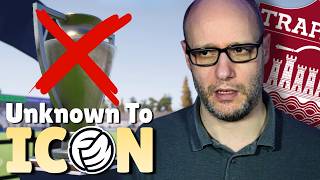
FM26 BROKE on the Final Day! | Unknown To Icon FM26 S2E3
Doopa D
FM26 Unknown to Icon Season 2 - Revenge in The CUP In this video, witness the exciting Coppa Italia Serie C football match highlights as Trapani triumphs over Potenza with a 5-2 victory. Experience the goals, including a crucial header and a well-executed run into the box. We also reflect on our league performance against Benevento and look ahead to our final match for revenge. 📂 Watch the FM26 Editor Series FM26 Editor Basics → https://youtu.be/M8F5YsvPaKo FM26 – How to Edit Clubs → https://youtu.be/vfXW_QK-Ctc 👍 Enjoying the series? Hit Like, Subscribe, and turn on notifications so you don’t miss the next FM26 Editor tutorial. Follow HERE 👇 💙 Twitter - https://twitter.com/DoopaDaddy 💙 Instagram - https://www.instagram.com/doopa_daddy 💙 Facebook - https://www.facebook.com/DoopaDaddyFB #fm26 #footballmanager2026 #fm26editor ⏱️ Timestamps 00:00 Intro 00:27 Transfer Window 02:13 Coppa Serie C Semi Final 03:37 Top Of The Table Match 09:07 Coppa Serie C Final 17:33 Comments

REVENGE In The Cup | FM26 Unknown to Icon S2E2
Doopa D
FM26 Pre‑Game Editor Tutorial – How to Create Clubs in Football Manager 2026 In this video, I’ll show you how to create a brand‑new club from scratch in the FM26 Pre‑Game Editor. Whether you want to build a custom team, design new kits and colours, create a stadium, or place your club into an existing league, this step‑by‑step guide covers everything you need to know. Perfect for beginners and returning FM players who want full control over their Football Manager 2026 database. 📘 What You’ll Learn - How to create a new club in FM26 - How to set club identity, names, and status - How to edit club colours, kits, and branding - How to create or assign a stadium - How to set finances, budgets, and reputation - How to add players and staff to your new club - How to place your club into an existing league - How to save and load your edited database in Football Manager 2026 📂 Watch the FM26 Editor Series FM26 Editor Playlist → https://www.youtube.com/playlist?list=PLVAih-k0idM6upAwS2BdslHJeHuzl_fZ2 👍 Enjoying the series? Hit Like, Subscribe, and turn on notifications so you don’t miss the next FM26 Editor tutorial. Follow HERE 👇 💙 Twitter - https://twitter.com/DoopaDaddy 💙 Instagram - https://www.instagram.com/doopa_daddy 💙 Facebook - https://www.facebook.com/DoopaDaddyFB #fm26 #footballmanager2026 #fm26editor ⏱️ Timestamps 00:00 Intro 00:35 Adding a Club 04:46 Kits & Colours 07:05 Creating a Stadium 11:53 Finances & Staff 15:30 Add a club into a competition 17:44 In-Game 20:30 Comments

FM26 Editor – How to Create a CLUB
Doopa D
FM26 Pre‑Game Editor Tutorial – How to Create Players in Football Manager 2026 In this video, I’ll show you how to create a brand‑new player from scratch in the FM26 Pre‑Game Editor. Whether you want to add yourself into the game, build a custom wonderkid, or create an entire academy for a new club, this step‑by‑step guide covers everything you need to know. We’ll go through personal details, attributes, CA/PA, positions, contracts, injuries, and how to assign your new player to a club — all explained clearly and safely for beginners. 📘 What You’ll Learn - How to create a new player in FM26 - How to set attributes safely and realistically - How CA/PA works and how to balance it - How to assign positions and familiarity - How to create contracts, wages, and clauses - How to add or remove injuries and bans - How to add your new player to any club - How to save and load your edited database in Football Manager 2026 📂 Watch the FM26 Editor Series FM26 Editor Basics → https://youtu.be/M8F5YsvPaKo FM26 – How to Edit Clubs → https://youtu.be/vfXW_QK-Ctc FM26 – How to Edit Players → https://youtu.be/dKCjfhaxo5k 👍 Enjoying the series? Hit Like, Subscribe, and turn on notifications so you don’t miss the next FM26 Editor tutorial. Follow HERE 👇 💙 Twitter - https://twitter.com/DoopaDaddy 💙 Instagram - https://www.instagram.com/doopa_daddy 💙 Facebook - https://www.facebook.com/DoopaDaddyFB #fm26 #footballmanager2026 #fm26editor ⏱️ Timestamps 00:00 Intro 01:31 Creating a Player 10:11 In-Game 12:14 Comments

FM26 Editor – How to Create Players
Doopa D
FM26 Unknown to Icon Season 2 - This Player is a GOAL Machine In this video, I will go through our summer transfer window, showcase the best match highlights and discuss about our best and worse performers. Can we go one better than last season and win the league? 📂 Watch the FM26 Editor Series FM26 Editor Basics → https://youtu.be/M8F5YsvPaKo FM26 – How to Edit Clubs → https://youtu.be/vfXW_QK-Ctc 👍 Enjoying the series? Hit Like, Subscribe, and turn on notifications so you don’t miss the next FM26 Editor tutorial. Follow HERE 👇 💙 Twitter - https://twitter.com/DoopaDaddy 💙 Instagram - https://www.instagram.com/doopa_daddy 💙 Facebook - https://www.facebook.com/DoopaDaddyFB #fm26 #footballmanager2026 #fm26editor ⏱️ Timestamps 00:00 Intro 00:34 Transfer Window 02:02 Match Highlights 04:00 Players Performance 05:33 News & League Table 07:24 Comments

Meet Our Deadliest Striker | FM26 Unknown to Icon S2E1
Doopa D
FM26 Pre‑Game Editor Tutorial – How to Edit Players in Football Manager 2026 In this video, I’ll show you how to edit any player in the FM26 Pre‑Game Editor. From attributes and CA/PA to contracts, positions, injuries, and personal details — this step‑by‑step guide will help you safely customise players without breaking your save. Perfect for beginners and returning FM players who want full control over their Football Manager 2026 database. 📘 What You’ll Learn - How to edit player attributes safely - How CA/PA works in FM26 and how to change it - How to adjust player positions and familiarity - How to edit contracts, wages, bonuses, and clauses - How to remove or add injuries and bans - How to change personal details like personality, footedness, and reputation - How to save and load your edited database in Football Manager 2026 📂 Watch the FM26 Editor Series FM26 Editor Basics → https://youtu.be/M8F5YsvPaKo FM26 – How to Edit Clubs → https://youtu.be/vfXW_QK-Ctc 👍 Enjoying the series? Hit Like, Subscribe, and turn on notifications so you don’t miss the next FM26 Editor tutorial. Follow HERE 👇 💙 Twitter - https://twitter.com/DoopaDaddy 💙 Instagram - https://www.instagram.com/doopa_daddy 💙 Facebook - https://www.facebook.com/DoopaDaddyFB #fm26 #footballmanager2026 #fm26editor ⏱️ Timestamps 00:00 Intro 01:21 Editing a Player 10:07 In Game 11:45 Comments

FM26 Editor – How to Edit Players
Doopa D
FM26 Pre‑Game Editor Tutorial – How to Edit Clubs in Football Manager 2026 In this video, I’ll show you exactly how to edit any club in the FM26 Pre‑Game Editor. Whether you want to change finances, adjust reputation, edit kits and colours, or tweak stadium details, this step‑by‑step guide will walk you through everything safely and clearly. Perfect for beginners and returning FM players looking to customise their Football Manager 2026 experience. 📘 What You’ll Learn - How to safely edit any club in FM26 - How finances and budgets work in the editor - How to change club reputation - How to edit kits, colours, and club identity - How to adjust stadium capacity and details - How to save and load your editor data in Football Manager 2026 😎 All my LATEST videos here: https://www.youtube.com/playlist?list=PLVAih-k0idM5Pfn_XCje-th4Zv6nVaHDD 👍 Enjoying the series? Hit Like, Subscribe, and turn on notifications so you don’t miss the next FM26 Editor tutorial. Subscribe 👉 @Doopa_D Follow HERE 👇 💙 Twitter - https://twitter.com/DoopaDaddy 💙 Instagram - https://www.instagram.com/doopa_daddy 💙 Facebook - https://www.facebook.com/DoopaDaddyFB #fm26 #footballmanager2026 #fm26editor ⏱️ Timestamps 00:00 Intro 00:54 Editing A Club 03:11 Editing Finances 05:38 Editing Kits 07:36 Editing a Stadium 10:00 Saving an Edit 11:52 Comments

FM26 Editor – How to Edit Clubs
Doopa D
Join me as I enter the journey of Unknown To Icon in FM26 by starting Unemployed, have no coaching badges and no football or management experience. What nation will we end up at and what tactic will we being using? Join us as we look to fight relegation with aims to secure a play off place in our series Unknown To Icon FM26. Can we achieve the great escape and more? 😎 All my LATEST videos here: https://www.youtube.com/playlist?list=PLVAih-k0idM5Pfn_XCje-th4Zv6nVaHDD Subscribe 👉 @Doopa_D Follow HERE 👇 💙 Twitter - https://twitter.com/DoopaDaddy 💙 Instagram - https://www.instagram.com/doopa_daddy 💙 Facebook - https://www.facebook.com/DoopaDaddyFB #fm26 #footballmanager2026 #fm26letsplay #fm26tactics 00:00 Intro 00:55 January Transfers 04:16 Jan - April 07:55 Playoffs! 12:48 Comments

Great ESCAPE to PLAYOFFS | FM26 Unknown to Icon S1E2
Doopa D
Dive into the world of the football manager 26 pre game editor with this comprehensive fm24 tutorial! 🌟 Learn the essential screens for making edits and which ones you can safely ignore. Whether you're a newbie or looking to enhance your gameplay, these fm26 mods and tips will prepare you for success! 🚀 😎 All my LATEST videos here: https://www.youtube.com/playlist?list=PLVAih-k0idM5Pfn_XCje-th4Zv6nVaHDD Subscribe 👉 @Doopa_D Follow HERE 👇 💙 Twitter - https://twitter.com/DoopaDaddy 💙 Instagram - https://www.instagram.com/doopa_daddy 💙 Facebook - https://www.facebook.com/DoopaDaddyFB #fm26 #footballmanager2026 #fm26editor 00:00 Intro 01:00 Navigating the Editor 02:38 Editing a Player 04:44 Editing a Club 06:27 Saving Your Changes 07:00 Changes In-Game 09:10 Comments

FM26 Editor Beginner Guide — Learn the Basics FAST
Doopa D
Join me as I enter the journey of Unknown To Icon in FM26 by starting Unemployed, have no coaching badges and no football or management experience. What nation will we end up at and what tactic will we being using? 😎 All my LATEST videos here: https://www.youtube.com/playlist?list=PLVAih-k0idM5Pfn_XCje-th4Zv6nVaHDD Subscribe 👉 @Doopa_D Follow HERE 👇 💙 Twitter - https://twitter.com/DoopaDaddy 💙 Instagram - https://www.instagram.com/doopa_daddy 💙 Facebook - https://www.facebook.com/DoopaDaddyFB #fm26 #footballmanager2026 #fm26letsplay #fm26tactics 00:00 Intro 00:31 Setting Up 01:50 Applying For Jobs 05:03 Hired! 07:53 First Match 15:01 Reviewing Results 18:15 Comments

Starting UNEMPLOYED! The Journey Begins | FM26 Unknown to Icon S1E1
Doopa D
It took us a while but we finally finish our first season playing FM26. In this review we look at tactics, transfers and how we won the double. 😎 All my LATEST videos here: https://www.youtube.com/playlist?list=PLVAih-k0idM5Pfn_XCje-th4Zv6nVaHDD Subscribe 👉 @Doopa_D Follow HERE 👇 💙 Twitter - https://twitter.com/DoopaDaddy 💙 Instagram - https://www.instagram.com/doopa_daddy 💙 Facebook - https://www.facebook.com/DoopaDaddyFB #fm26 #footballmanager2026 #fm26letsplay #fm26tactics 00:00 Intro 02:49 Tactics 05:16 Cups 07:04 League 08:24 Live - Champions League 17:56 Transfers 19:38 Comments
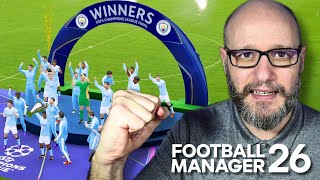
First Season, Double Glory FM26
Doopa D
😎 All my LATEST videos here: https://www.youtube.com/playlist?list=PLVAih-k0idM5Pfn_XCje-th4Zv6nVaHDD Subscribe 👉 @Doopa_D Follow HERE 👇 💙 Twitter - https://twitter.com/DoopaDaddy 💙 Instagram - https://www.instagram.com/doopa_daddy 💙 Facebook - https://www.facebook.com/DoopaDaddyFB #fm26 #footballmanager2026 #fm26letsplay #fm26tactics
How to get the pre-game FM26 EDITOR for PC GAME PASS #fm26 #shorts
Doopa D
We show you where and how you can download and install the In-game editor for football manager 2026 PC game pass. 😎 All my LATEST videos here: https://www.youtube.com/playlist?list=PLVAih-k0idM5Pfn_XCje-th4Zv6nVaHDD Subscribe 👉 @Doopa_D Follow HERE 👇 💙 Twitter - https://twitter.com/DoopaDaddy 💙 Instagram - https://www.instagram.com/doopa_daddy 💙 Facebook - https://www.facebook.com/DoopaDaddyFB #fm26 #footballmanager2026 #fm26letsplay #fm26tactics
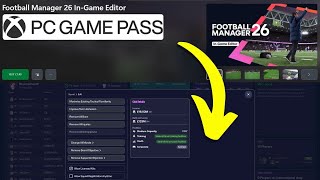
How to get the In-game FM26 EDITOR for PC GAME PASS
Doopa D
We show you where and how you can download and install the pre-game editor for football manager 2026 PC game pass. 😎 All my LATEST videos here: https://www.youtube.com/playlist?list=PLVAih-k0idM5Pfn_XCje-th4Zv6nVaHDD Subscribe 👉 @Doopa_D Follow HERE 👇 💙 Twitter - https://twitter.com/DoopaDaddy 💙 Instagram - https://www.instagram.com/doopa_daddy 💙 Facebook - https://www.facebook.com/DoopaDaddyFB #fm26 #footballmanager2026 #fm26letsplay #fm26tactics
