FM05-24 3D Kits
3D Kits are special kits designed to make the match engine look even better, with the players wearing customised and improved kits on the pitch.
These will only work with FM24 and earlier. They will not work with the most latest unity versions from FM26 onwards.
- 913
- 2026.07 - Released on 06 Jul 2026
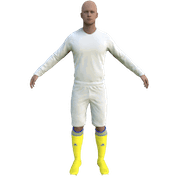
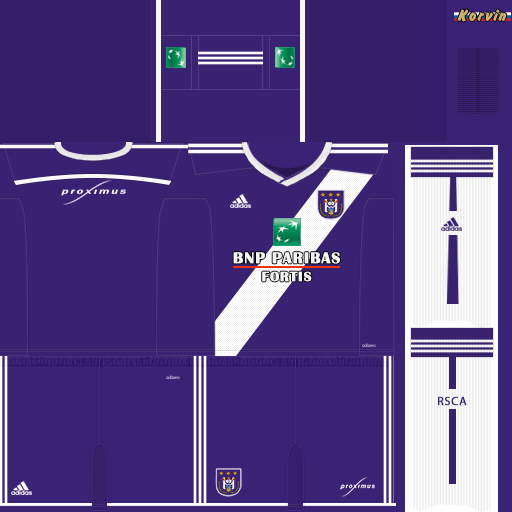
1. Extract folder to Documents/Sport Interactive/Football Manager 2013 or 2014/graphics/kits/put in here!
( If there is no graphics folder there, create "graphics" )
2. FM14 - click 'Load Game'....click 'FM'...click 'Preferences'...click 'Interface'....click 'Clear Cache'...click tick 'Reload skin when confirming changes' (if you first time)....click 'Reload Skin'
2b. FM15 - click 'Preferences'...click 'Interface'....click unticked 'Use caching to decrease page loading times and click tick 'Reload skin when confirming changes in preferences'.....click 'Reload Skin'.
Enjoy
( If there is no graphics folder there, create "graphics" )
2. FM14 - click 'Load Game'....click 'FM'...click 'Preferences'...click 'Interface'....click 'Clear Cache'...click tick 'Reload skin when confirming changes' (if you first time)....click 'Reload Skin'
2b. FM15 - click 'Preferences'...click 'Interface'....click unticked 'Use caching to decrease page loading times and click tick 'Reload skin when confirming changes in preferences'.....click 'Reload Skin'.
Enjoy

- Date Created
- 16 Jan 2015 22:45:59
- Date Updated
- 16 Jan 2015 22:45:59
- Last Comment
- 27 Jan 2015 18:16:07
Comments
You'll need to Login to comment
Barbicha75
bjcswfc
gent_3 (168)
charleroi_3 (263)
kortrijk_3 (231)
mechelen_3 (232)
lierse_3 (268)
lokeren_3 (265)
mouscronperuwelz_3 (8154758)
waregem_3 (299)
Are these being made WhiteH?
Ashleyqprw12
Edit, just copied and that done it so if anyone else has the problem try that, perhaps should of been obvious lol woops.
Davy Jooken