SS' Kits
We have thousands of individual FM Kit Packs, when you download these packs your copy of Football Manager will be updated with all the latest kits. Not only that but you'll have our famous SS Kits, which we think are the best Football Manager Kits around.
- 3,842
- 2026.13 - Released on 06 Jul 2026
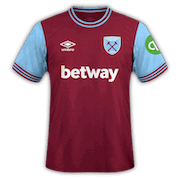

1. Extract folder to Documents/Sport Interactive/Football Manager 20##/graphics/kits/put in here!
( If there is no graphics folder there, create "graphics" )
2. FM14 - click 'Load Game'....click 'FM'...click 'Preferences'...click 'Interface'....click 'Clear Cache'...click tick 'Reload skin when confirming changes' (if you first time)....click 'Reload Skin'
2b. FM15/16 - click 'Preferences'...click 'Interface'....click unticked 'Use caching to decrease page loading times and click tick 'Reload skin when confirming changes in preferences'.....click 'Reload Skin'.
ALWAYS when you download other pack, DO 'CLEAR CACHE then RELOAD SKIN AS ALWAYS after download to folders.
Enjoy
Any problem - please go to this thread - SS Help/Discussion Thread or PM hammer9.
Or if kits not showing or not add third kit..please go to this thread -
Any problem - please go to this thread - SSKCC Thread or PM hammer9.
( If there is no graphics folder there, create "graphics" )
2. FM14 - click 'Load Game'....click 'FM'...click 'Preferences'...click 'Interface'....click 'Clear Cache'...click tick 'Reload skin when confirming changes' (if you first time)....click 'Reload Skin'
2b. FM15/16 - click 'Preferences'...click 'Interface'....click unticked 'Use caching to decrease page loading times and click tick 'Reload skin when confirming changes in preferences'.....click 'Reload Skin'.
ALWAYS when you download other pack, DO 'CLEAR CACHE then RELOAD SKIN AS ALWAYS after download to folders.
Enjoy
Any problem - please go to this thread - SS Help/Discussion Thread or PM hammer9.
Or if kits not showing or not add third kit..please go to this thread -
Any problem - please go to this thread - SSKCC Thread or PM hammer9.

- Date Created
- 04 Oct 2015 19:10:23
- Date Updated
- 10 Mar 2016 22:03:57
- Last Comment
- 10 Mar 2016 22:04:44
Comments
You'll need to Login to comment
ramonr
SebastianBSM
jaylg
Gooner 87
hammer9
jaylg
hammer9
(updated - add bologna third kit)
majesa
Dan1985
Plasticine
Same, checked the config and couldn't understand what's wrong
hammer9
Plasticine
In my case the same as the rest of the other packs I downloaded and until now working: Documents/Sports Interactive/graphics/kits/
NOTE: Goes without saying went to Preferences and Clear Cache + Reloaded Skin
hammer9
you should reading on first post.
Plasticine
Was a mistyping here, forgot to type the FM folder
the files are in the correct folder like all your others pack (yes have them all
Documents/Sports Interactive/Football Manager 2016/graphics/kits/clubs/ but not working for me, only this one
hammer9
1. Extract folder to Documents/Sport Interactive/Football Manager 20##/graphics/kits/put in here!
## mean any number like 14, 15 or 16.....you see 'put in here' mean you download pack to extract to 'put in here'
Dan1985
hammer9
mine working fine tho.....
show us your screenshot of pack, folders and FM16 as well
Tofugoal
hammer9
can you open this Serie A 15/16 by FMonline Forum please then show us screenshot...i think it may you have 2 packs in this Serie A folder!
Dan1985
is it because the game has all the actual kits in, except Napoli, from the start?
hammer9
ok, first remove your pack...go try this..... = http://www.mediafire.com/download/s9oxo2o7tbwk9kk/Serie+A+15_16+by+FMonline+Forum+for+MAC.rar
let me know ok
ravenatomic
ravenatomic
So change "Serie A 15/16 by FMonline Forum" to "Serie A 15 - 16 by FMonline Forum" for example.
The backslash is not correctly recognized by IOS.
Have a nice game!
live123
baloney
hammer9
yeah still working on it.
Tendaro
Home:
http://www.calcionews24.com/images/w626-h410-at-q80//uploads/news/2015-2016/zappacosta-azione-torino-settembre-2015-ifa.jpg
Away:
http://www.toronews.net/wp-content/uploads/sites/2/2015/11/GettyImages-498269876.jpg
Third:
http://images2.gazzanet.gazzettaobjects.it/wp-content/uploads/sites/2/2015/10/GettyImages-491140092.jpg?v=20151003191756
Plasticine
Saviour!!!!
Keitarou
dersim1987