SS' Kits
We have thousands of individual FM Kit Packs, when you download these packs your copy of Football Manager will be updated with all the latest kits. Not only that but you'll have our famous SS Kits, which we think are the best Football Manager Kits around.
- 3,842
- 2026.13 - Released on 06 Jul 2026
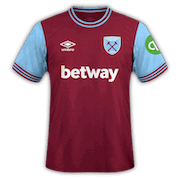
1. Extract folder to Documents/Sport Interactive/Football Manager 20##/graphics/kits/put in here!
( If there is no graphics folder there, create "graphics" )
2. FM14 - click 'Load Game'....click 'FM'...click 'Preferences'...click 'Interface'....click 'Clear Cache'...click tick 'Reload skin when confirming changes' (if you first time)....click 'Reload Skin'
2b. FM15/16 - click 'Preferences'...click 'Interface'....click unticked 'Use caching to decrease page loading times and click tick 'Reload skin when confirming changes in preferences'.....click 'Reload Skin'.
ALWAYS when you download other pack, DO 'CLEAR CACHE then RELOAD SKIN AS ALWAYS after download to folders.
Enjoy
( If there is no graphics folder there, create "graphics" )
2. FM14 - click 'Load Game'....click 'FM'...click 'Preferences'...click 'Interface'....click 'Clear Cache'...click tick 'Reload skin when confirming changes' (if you first time)....click 'Reload Skin'
2b. FM15/16 - click 'Preferences'...click 'Interface'....click unticked 'Use caching to decrease page loading times and click tick 'Reload skin when confirming changes in preferences'.....click 'Reload Skin'.
ALWAYS when you download other pack, DO 'CLEAR CACHE then RELOAD SKIN AS ALWAYS after download to folders.
Enjoy
Comments
You'll need to Login to comment
Qvordrup
Weiry
my first ever try at kits so not good but this was from last season why not just download this seasons?
Qvordrup
It is because I am still playing fm 2016.... so I can't use the latest SS Kits Colours Changes for 16/17 Kits on FM17 [v4.2 - 23/04/17)... so all my kits are from the 15/16 season.... it was also just meant as a sort of info to everybody else, not as an insult against you....
I have just used the the kits from the 14/15 season... and made my own changes to the SS Kits Colours Changes for 15/16 file.... might sound strange... but thats why and how...