
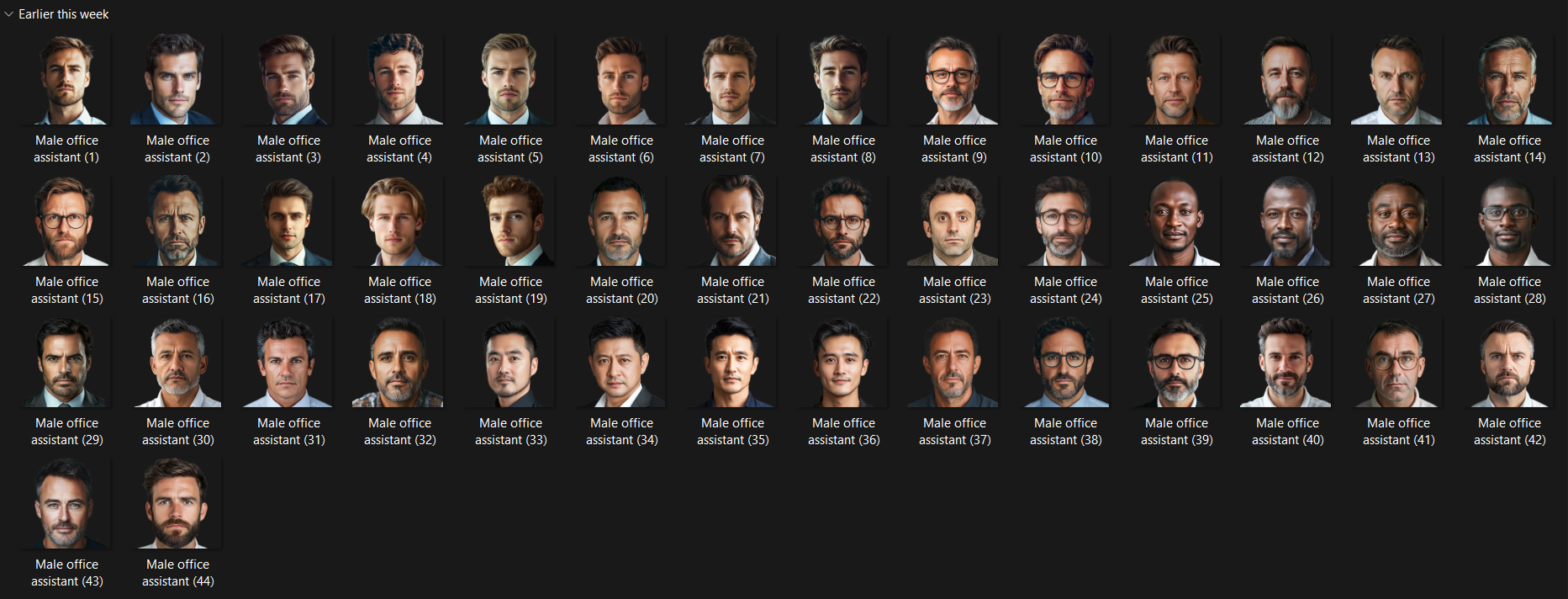
Hallo! So I created a pack of 44 various male faces of office assistants in a 250x250 size
These can be used to assign to your own assistants in game to replace the poor game generated ones.
You can find the relevant IDs of the staff faces you want to change by either using Rensies of TCMs skin as they have a handy ID finder.
Once found create a config file if you wish in a folder, look at previous facepack configs for help on this. Then ingame clear cache, reload and hey presto!
I have uploaded a female version and will be uploading a coaches pack too

- Date Created
- 13 Mar 2025 14:09:17
- Date Updated
- 13 Mar 2025 14:09:18
- Last Comment
- 24 May 2025 15:22:02
Comments
You'll need to Login to comment
decio luz
Where do I put this?
Greentrunk
As described above you'll need to find out the ids you want to replace and then drop the image in your graphics folder then ad the ID to the config file
gouille
comment faire?
je n'y arrive pas!!!
Greentrunk
Bonjour, in what sense does this not work?
gouille
je prends le id du staff
je renomme la photo avec le numero du id
dans le dossier graphics je colle la photo choisi puis je rajoute une ligne avec la formule de la config
<record from="numberstaff" to="graphics/pictures/person/numbersstaff/portrait"/>
puis dans le jeu je vide le cache et recharge le theme mais rien se passe!!!
decio luz
You should make a video explaining this, it's kind of confusing.
Greentrunk
I can appreciate that, however I can't create a config as everyone's ids will be different. However yeah a video might be helpful to some. Good idea!
gizmo11x
for anyone having this problem…you need to add “r-” to the mapped path of generated people
ex:
<record from="numberstaff" to="graphics/pictures/person/r-numbersstaff/portrait"/>
Greentrunk
Added a video which hopefully explains things a bit easier
Vicious One
Someone has an idea how to find the assistant's ID if you're not using one of the mentioned skins?
Greentrunk
Possibly one of the real-time editors might get that info. Genie scout won't, but others may.
Slim Clutch
Hello, I follow the procedure exactly with the recommended skin, I add the “-r” with the number of the staff member etc... and nothing happens. I would like a little help, I don't know what's blocking it. Thank you
Greentrunk
Does this help from a previous response?
for anyone having this problem…you need to add “r-” to the mapped path of generated people
ex:
<record from="numberstaff" to="graphics/pictures/person/r-numbersstaff/portrait"/>