FM05-24 3D Kits
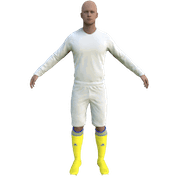
3D Kits are special kits designed to make the match engine look even better, with the players wearing customised and improved kits on the pitch.
These will only work with FM24 and earlier. They will not work with the most latest unity versions from FM26 onwards.
- 913
- 2026.07 - Released on 06 Jul 2026
Bhawkski
Hello again. I previously created a Photoshop action to transfer jerseys from FM24 to FM26. Now I've created an action that transfers jerseys from FM26 to FM24, as some players are still playing FM24. I might expand this file a bit.
INSTRUCTIONS
Double-click Layer 3. File - Place Embedded... (this is where we'll place our FM26 kit), then close and save Layer 3. Next, load the action file as shown in the image above. Click Action 7 and click the PLAY button (the triangle next to the circle). Once the action is complete, go to File - Export - Export Ass and save everything as a PNG. Best regards, and have fun!
Bhawkski
ONLY WORK ON ENGLISH PHOTOSHOP
hammer9
👌🏼👍🏼👏🏼
hammer9
@fafel91
fafel91
@hammer9 Thanks for your work. I have one last request, could you convert these kits to FM24?
hammer9
sure…
jibibi
Hello, which version of Photoshop is this for? I have the 2019 version. When you say ‘double-click and import file’, I can’t find that option in my version. Could you explain it in a bit more detail, or perhaps post a short video? My aim is to convert from FM26 to FM24 to PES21, as I have a script for that. Unless, in exchange for a small donation, you’re able – and I think you are – to do the conversion between FM26 and PES21 for me. The similarity is very close. I also have templates for PES 21, but I’m not at all familiar with Photoshop. Bear in mind that I’m working on the 2019 photoshop version for the actions. Thanks!! but i can download 2026 version….
Bhawkski
Hello, the "action" should work even on versions older than 2019.
Double-click, I meant clicking on the "intelligent object" and replacing that layer.
I'm glad you found an interesting activity. I'm also not sure what you're talking about regarding the script, as I haven't worked on PES21 yet.
Regarding the conversion, I could do it for free if I find the time. The problem, however, is that the 3D kits for PES don't have collars, and that would require some thought. Therefore, the script you have may not be perfect for collars, and the details in PES are much greater.
If you're new to Photoshop and want to create your own unique work in this program, it's best to spend some time learning how to use it first, because doing something in bulk can be irritating in the long run.
Generally speaking, the "FM 26 to FM 24" Photoshop action works the same way as the "FM24 to FM26" action.
If you follow the link carefully:
https://sortitoutsi.net/content/74713/transferring-3d-outfits-from-fm24-to-fm26-in-photoshop?page=5
you'll find a video uploaded by me or user Wallace Candido.
jibibi
Thanks for your reply. So the version that person gave me works really well. At least for my personal use, as I’m not necessarily too fussy about the final result. I’m on the Kitbaher Discord too and I use it, but I’d like to get hold of the kits for certain recent leagues that aren’t supported by the PES community. I can provide you with the action script and you can try it with a 3D kit from FM24; it works really well in batch mode. I’m actually watching your video for FM24 to FM26 right now and I’ve found a more recent version of Photoshop. Would you like to take a look at the action???
Bhawkski
This is the same kit in different versions. I converted it from FM26 to FM24, and then to PES2019. The result isn't satisfactory. It would be best to redo everything from FM26 to PES2019 to avoid the transfer process to FM24 and the resulting loss of quality.
Bhawkski
While I'm here, remember to change the background color I created in this file and everything will look much better
hammer9
Cool 👍🏼👌🏼
jibibi
I did exactly the same as you. I took an FM26 and converted it to FM24 using your ATN and Photoshop 26. Then I used my FM24 PES 21 action from there… It’s true, it really isn’t great. The best thing would be a complete recut and redesign of the FM26 to PES21. But I really don’t know how to do that. On that note… would you be up for giving it a go? Because I don’t think it’s actually that much work. I can attach the template files. Not in PSD, I don’t have that. And my action doesn’t need anything, you see. I put the image in, click play, and it does it all by itself.
Bhawkski
Sure, it's easy to say, redesigning, and it's not that much work. First, you need to have enough time for it, and second, you need to understand the PES21 graphics file... I'd also like to point out that this is a Strike FM forum, and if you'd like me to understand something like that and wait for it, I'd prefer a private message. You can attach the templates, etc., there.