
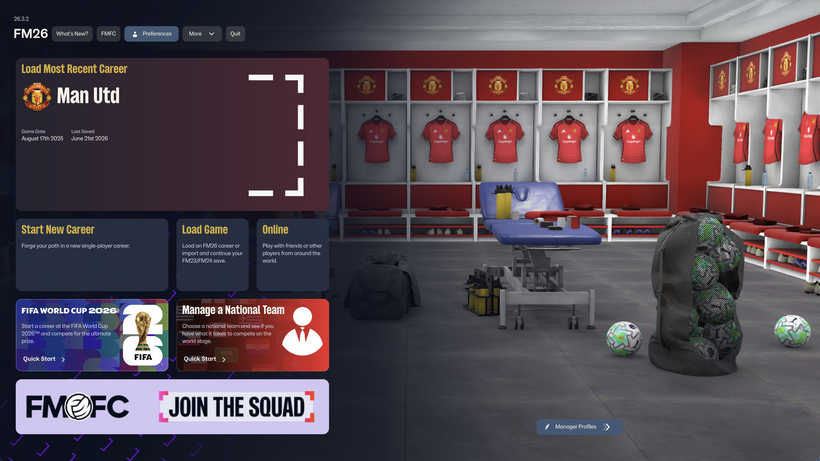
z
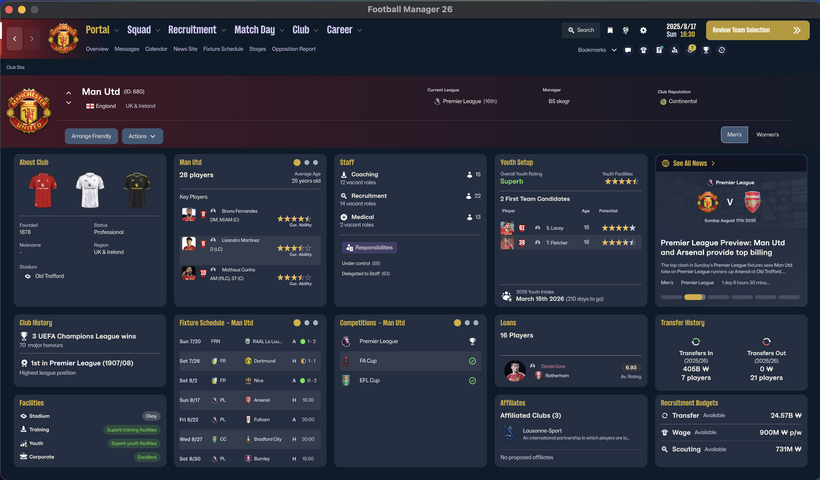
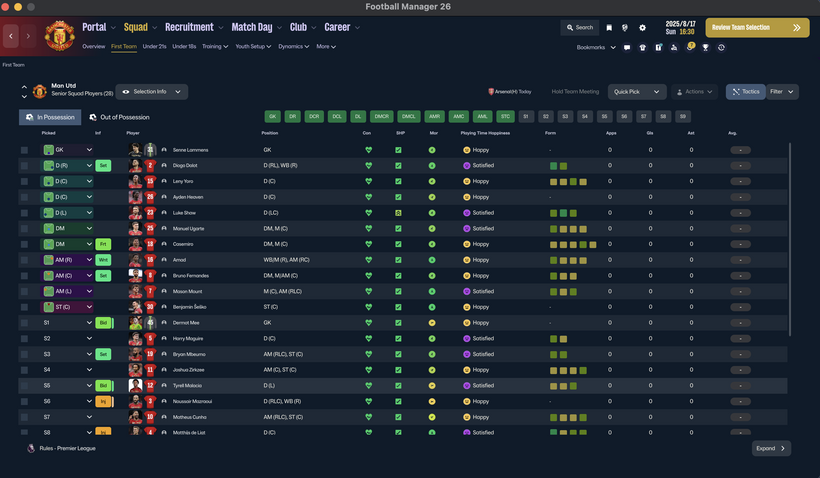
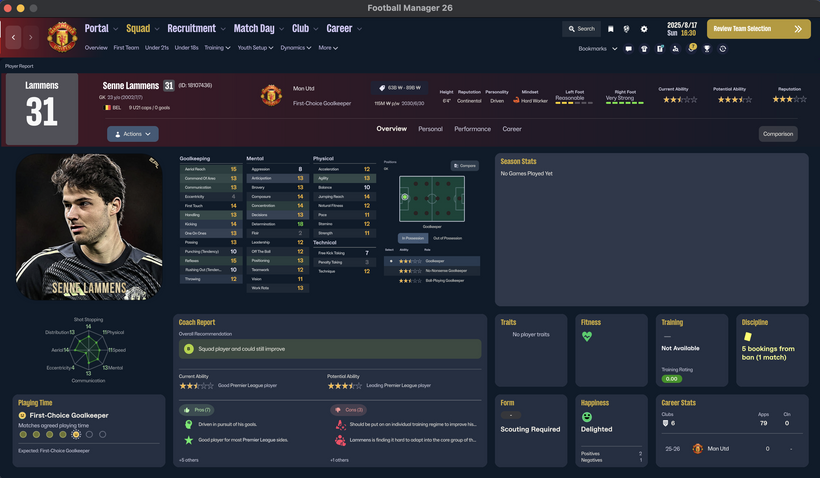
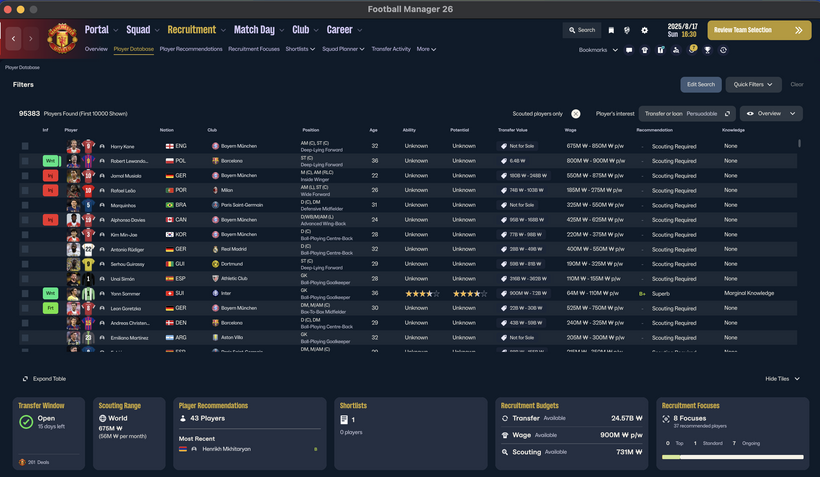
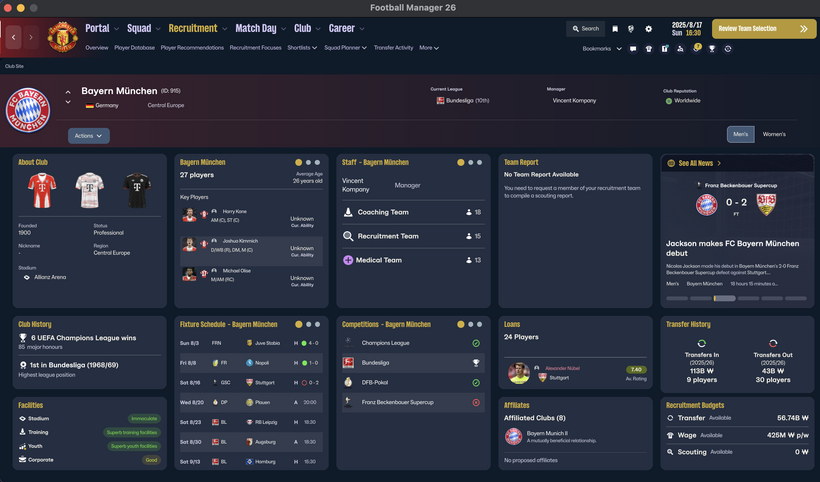
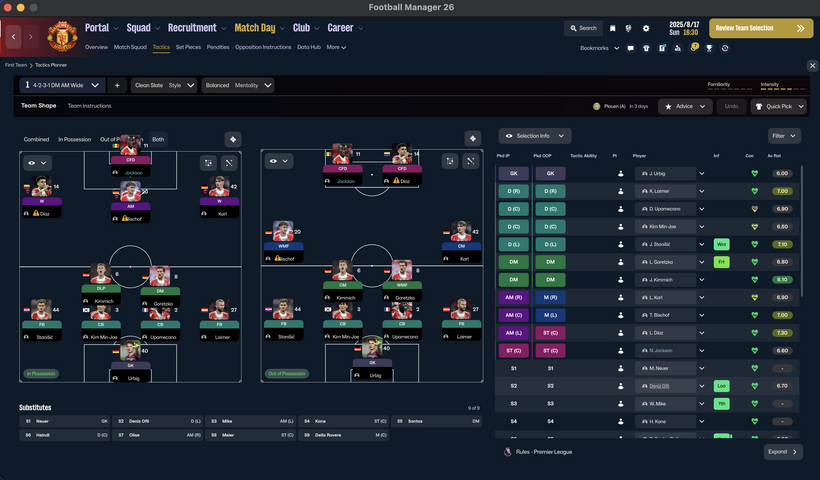
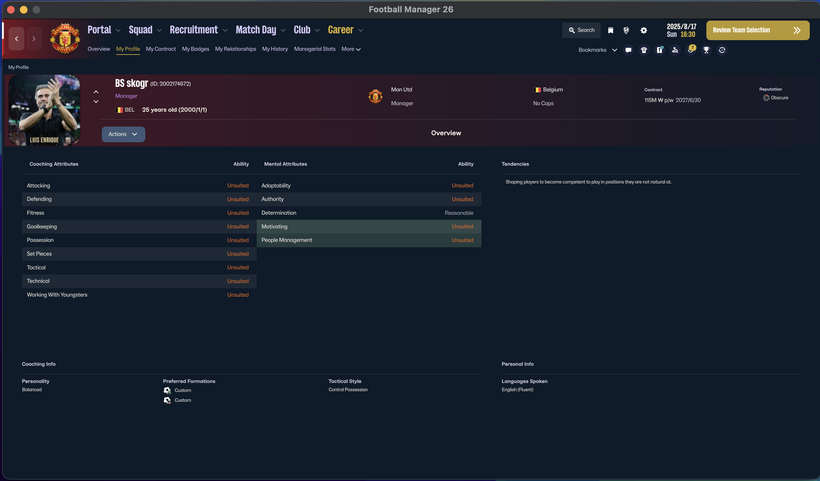
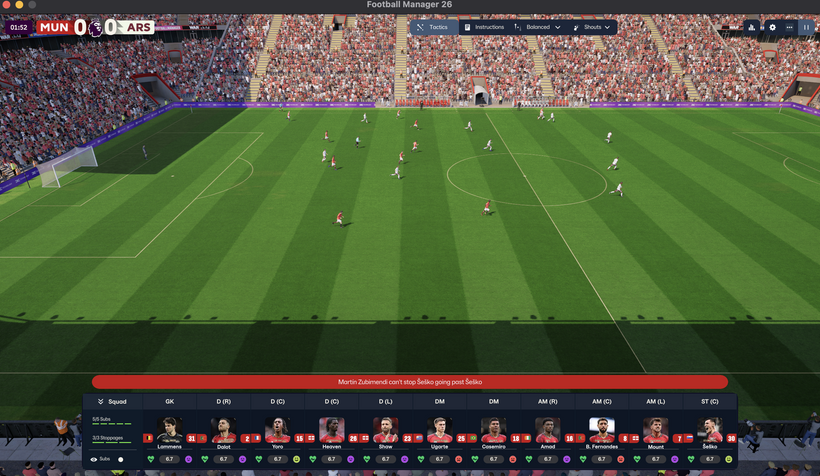
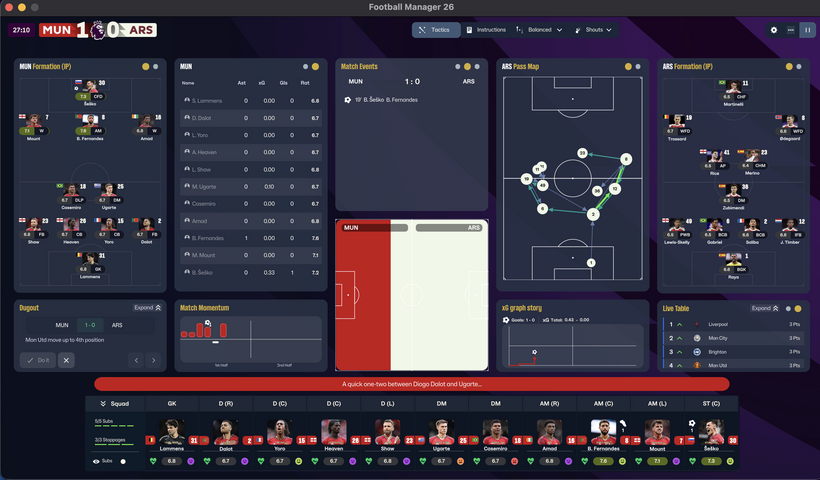
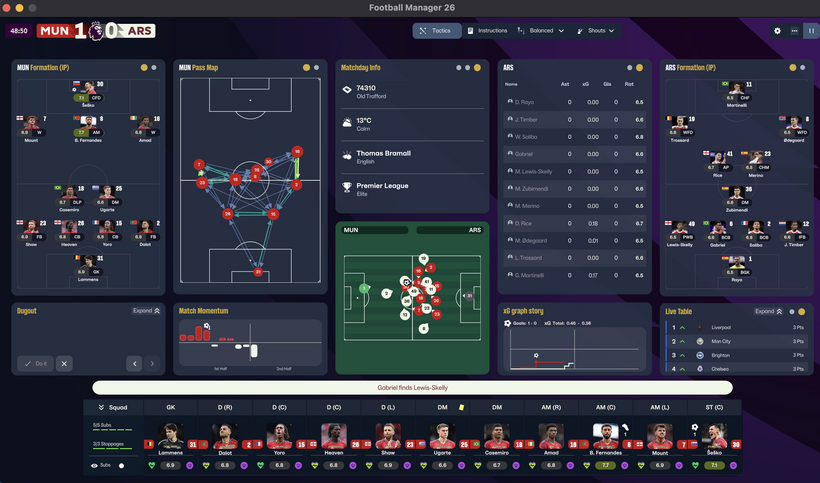
skogr skin free
Key Differences from Vanilla Skin
Manager Photo Replacement: Change your manager's profile picture without any extra software, just like player or staff facepacks.
Simply find your Manager ID and place the desired photo in your graphics folder using that ID.
(Tip: Search for "facepack installation guides" for detailed instructions.)
Opponent Tactics Preview: View the opposing team's tactics in advance.
Enhanced Profile Photos: Larger, better-scaled images for both player and staff profiles.
Visual Improvements: Various UI/UX enhancements for better gameplay convenience.
[IMPORTANT] The "Numerical Attributes" feature (displaying player/staff attributes as numbers) is excluded from this free version.
Compatibility & Installation
Both Mac and Windows versions are provided. Please download the version compatible with your OS.
How to Install (Mac Version)
Download the Mac version.
Copy the 17 files located inside the free folder.
Paste them into the directory below and replace the existing files. [IMPORTANT: A backup of your original files is mandatory before replacing.]
/Users/(YourName)/Library/Application Support/Steam/steamapps/common/Football Manager 26/fm.app/Contents/Resources/Data/StreamingAssets/aa/StandaloneOSX/
How to Install (Windows Version)
Unzip the downloaded file and locate the free skin folder.
Copy only the files inside that folder (do not copy the folder itself).
Paste them into the following directory: [IMPORTANT: A backup of your original files is mandatory before replacing.]
\Football Manager 26\fm_Data\StreamingAssets\aa\StandaloneWindows64
For more information regarding our paid and membership skins, please check the link below: https://www.patreon.com/skogr/posts/skogr-skin-has-161889818
Credits
Comments
You'll need to Login to comment
skogr
I found an issue where the mouse-over player card displayed a fixed left foot rating instead of their actual preferred foot rating. Currently fixing it.
Mark C 123
im currently unable to download this as there is no free links for it for some reason
skogr
I found an issue where the mouse-over player card displayed a fixed left foot rating instead of their actual preferred foot rating. Currently fixing it.
冯彬
Using it right now and it's even better than I expected! Keep refining the textures and match interface to add more depth, and this will easily be THE best skin for FM26. Period! 🏆
As a huge fan of your work, massive respect to you! Your mod is absolutely flawless. I spent an entire day frustrated because my old skin broke after an update, but you literally saved my day! 🙌✨
skogr
You're welcome! Thank you for the nice comment.
skogr
I have modified 'Adaptability' to display as a numerical value in the staff search, and it will be included in the next patch.
RipCity0
Unfortunately the skin doesnt work for me with the current game version. The OOP tactic screen shows wrong player roles and you cant click on them and i get stuck on the tactics screen and cant click any other buttons anymore. I verified the game flies twice and have no other mods/skins active.
skogr
It might be an issue with your extraction program.
Could you try downloading 7-Zip from this link (https://www.7-zip.org/) and extracting the files again?
Also, one user reported that it finally worked for them after copying and pasting the files five times, though I'm not sure why that solved it.
Copywriter
Not working on a Mac
Pelado250
I downloaded it and I'm testing it. I'm also interested in the face pack; where did you get it?
LeAlanPJ
merci, is it MAC compatible please ?
ic0
same for me, OOP tactic screen is showing the wrong role and randomly freezes (and I extracted it using 7zip in the correct way)
skogr
A few users in the Korean community are also experiencing the same issue. If you are on Steam, please run a file integrity check, test with the default (vanilla) game files first, and then reinstall the skin to see if it works.
Maxi91
I'm having the same problem, it's not working for me. The role selection screen before the match doesn't work, and the "play match" button doesn't work either.
skogr
If you are on Steam, please run a file integrity check, test with the default (vanilla) game files first, and then reinstall the skin to see if it works.
Maxi91
I did that and it still doesn't work.
skogr
I suspect this issue might have been caused by the national team update. Does it work properly when you play on the vanilla (default) game?
Please check and let me know. If it works normally in vanilla but the issue only occurs after installing the skin, I will investigate to find where the problem lies.
Maxi91
I was having those problems with the World Cup quick mode; the default skin worked fine. I still need to check if your skin works perfectly in career mode (not the World Cup quick mode). Thanks for your work.
skogr
I have captured and uploaded a screenshot of the national team tactics screen under the World Cup update.
Maxi91
I've tried it in career mode, but it won't let me progress either. When I press start match, nothing happens.
skogr
At the moment, it is difficult to determine whether this is an issue with the game itself or with the skin. It works perfectly fine in my own tests, and most users in the Korean community are using it without any problems.
A few users have reported the same issue—some resolved it after a clean reinstall of the game, while others are still experiencing it.
I am sorry I cannot provide a more definitive answer right now.
skogr
I have identified an issue where mouse clicks stop working after loading player instructions under the 'Out of Possession' (OOP) tab in the tactics screen.
I am temporarily suspending downloads until this issue is fixed.
Sorry for the inconvenience caused.
skogr
The mouse click freezing issue has been resolved. However, the update is not yet public as I am finishing up some remaining adjustments. It is scheduled to be released sometime today.
Aly Aly
xx
GangBarbieri
Posso installare la mod anche a gioco in corso o dovrò fare una nuova partita ?
skogr
Puoi installarla anche a gioco in corso! Comunque rilascerò un aggiornamento nel giro di poche ore, quindi ti consiglio di aspettare un attimo.
Dominique Almeida
🙂 good job men
jeremyluo
good job men
Fhran11
where is download link???
Fhran11
Hi, great work by the way. I'd like to ask you a question, but I don't know if it's okay to ask or if it's a secret. How do you get the player photos to appear on the tactics screen? I mean, which file are they encoded in and how? Thanks a lot. Keep it up!