FM05-24 Standard Kits Megapacks
Please take not that the files labeled 05-24 are not suitable for FM26 and beyond!
Our wfm18 x sortitoutsi.net Football Manager Standard Kits Megapack matches the same design as the default 2D kits in Football Manager but includes all the real kit designs that Football Manager doesn't come with by default!
- 1,798
- 2024.04 - Released on 06 Jan 2024
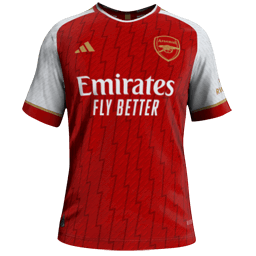
This file is old and may not be compatible with FM26 and later.

1. Extract folder to Documents/Sport Interactive/Football Manager 20##/graphics/kits/put in here!
( If there is no graphics folder there, create "graphics" )
2. FM14 - click 'Load Game'....click 'FM'...click 'Preferences'...click 'Interface'....click 'Clear Cache'...click tick 'Reload skin when confirming changes' (if you first time)....click 'Reload Skin'
2b. FM15/16 - click 'Preferences'...click 'Interface'....click unticked 'Use caching to decrease page loading times and click tick 'Reload skin when confirming changes in preferences'.....click 'Reload Skin'.
Enjoy
( If there is no graphics folder there, create "graphics" )
2. FM14 - click 'Load Game'....click 'FM'...click 'Preferences'...click 'Interface'....click 'Clear Cache'...click tick 'Reload skin when confirming changes' (if you first time)....click 'Reload Skin'
2b. FM15/16 - click 'Preferences'...click 'Interface'....click unticked 'Use caching to decrease page loading times and click tick 'Reload skin when confirming changes in preferences'.....click 'Reload Skin'.
Enjoy

- Date Created
- 18 Nov 2015 19:13:45
- Date Updated
- 18 Nov 2015 19:13:52
- Last Comment
- 24 Jan 2016 18:22:24
Comments
You'll need to Login to comment
Headshothitman
jsritchie86
Same here, the Zenit Home won't show for me either!
hammer9
Documents \ Sports Interactive \ Football Manager 2016 \ editor data\ put in here. then reload skin, start new game.
if problem, let me know.