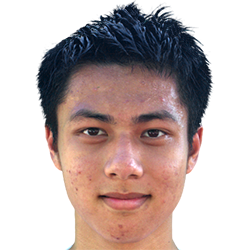
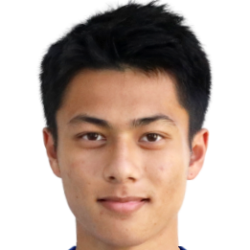
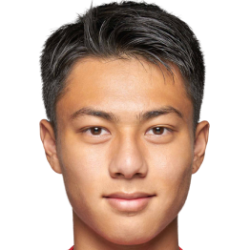
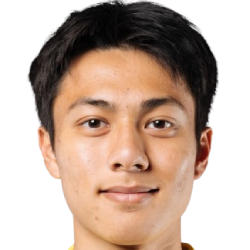
Lau Ka Kiu - Submissions - Cut-Out Player Faces Megapack

23497297

Timeline

3280x3456
In Progress by mons on 28 May 2021 08:36:39
Completed by mons on 28 May 2021 16:51:41
250x250
This image is part of a pack: Request mixpack
Completed by mons on 28 May 2021 16:51:41
Ttggfr
9 years ago
53 minutes ago
11,371

@mons thank you for doing the cut but there seems to be a green outline surrounding the hair.


I may fix it next morning or can I leave it to you for this one?

mons
20 years ago
5 hours ago
101,520
By Ttggfr 28 May 2021 - 17:58 PM UTC 

@mons thank you for doing the cut but there seems to be a green outline surrounding the hair.


I may fix it next morning or can I leave it to you for this one?


Is it this you mean? I'll fix it, but if it's something else you had in mind, do let me know 👍


Ttggfr
9 years ago
53 minutes ago
11,371
By mons 28 May 2021 - 18:09 PM UTC 

Is it this you mean? I'll fix it, but if it's something else you had in mind, do let me know 👍


Yes it is indeed


In fact the whole hair should be circled lol

250x250
Completed by mons on 29 May 2021 11:36:27
250x250
Completed by mons on 16 Nov 2022 21:05:47
250x250
This image is part of a pack: Hong Kong U23s 23-24
Pending by Ttggfr on 28 Aug 2023 01:51:56
Completed by mons on 28 Aug 2023 03:13:09
250x250
Completed on 19 Feb 2025 14:18:24
250x250
This image is part of a pack: HK new tranfser
Pending by BIGHEAD#0023 on 06 Jan 2025 16:20:34
Rejected by mons on 06 Jan 2025 17:19:55
mons
20 years ago
5 hours ago
101,520

@BIGHEAD#0023, not bad, but these have much less hair details when compared to the current cuts which aren't that old and are essentially identical. This thread contains guidelines for what we're looking for in our cuts in terms of dimensions, snow, collars, face orientation etc. and video tutorials for each element.


Can you provide us with the original source images, using the upload image or upload multiple function, without the background removed so that we can cut them accordingly?


If you want to give them another go yourself, I would recommend using remove.bg, which is a free online tool which removes the background to an excellent standard, for free and almost instantly.


Here's a couple of videos on how to use it, one when combined with Photoshop and another using photopea.com, which is a free online app so close to Photoshop that it has the same shortcuts, layout and icons.


If you don't have Photoshop, photopea.com is the tool I would recommend to use to tweak the draft cut produced by remove.bg. It's more powerful and versatile than GIMP and other similar tools.



1000x570
This image is part of a pack: HK winter transfer
Pending by BIGHEAD#0023 on 07 Jan 2025 04:33:01
Completed by mons on 09 Jan 2025 17:38:02
250x250
Completed by mons on 09 Jan 2025 17:38:02
250x250
Completed on 22 Oct 2025 02:14:31
250x250
This image is part of a pack: Lee Man 25-26
Pending by Ttggfr on 28 Aug 2025 13:22:18
Completed by mons on 28 Aug 2025 20:50:38
250x250
Completed on 07 Nov 2025 04:02:48