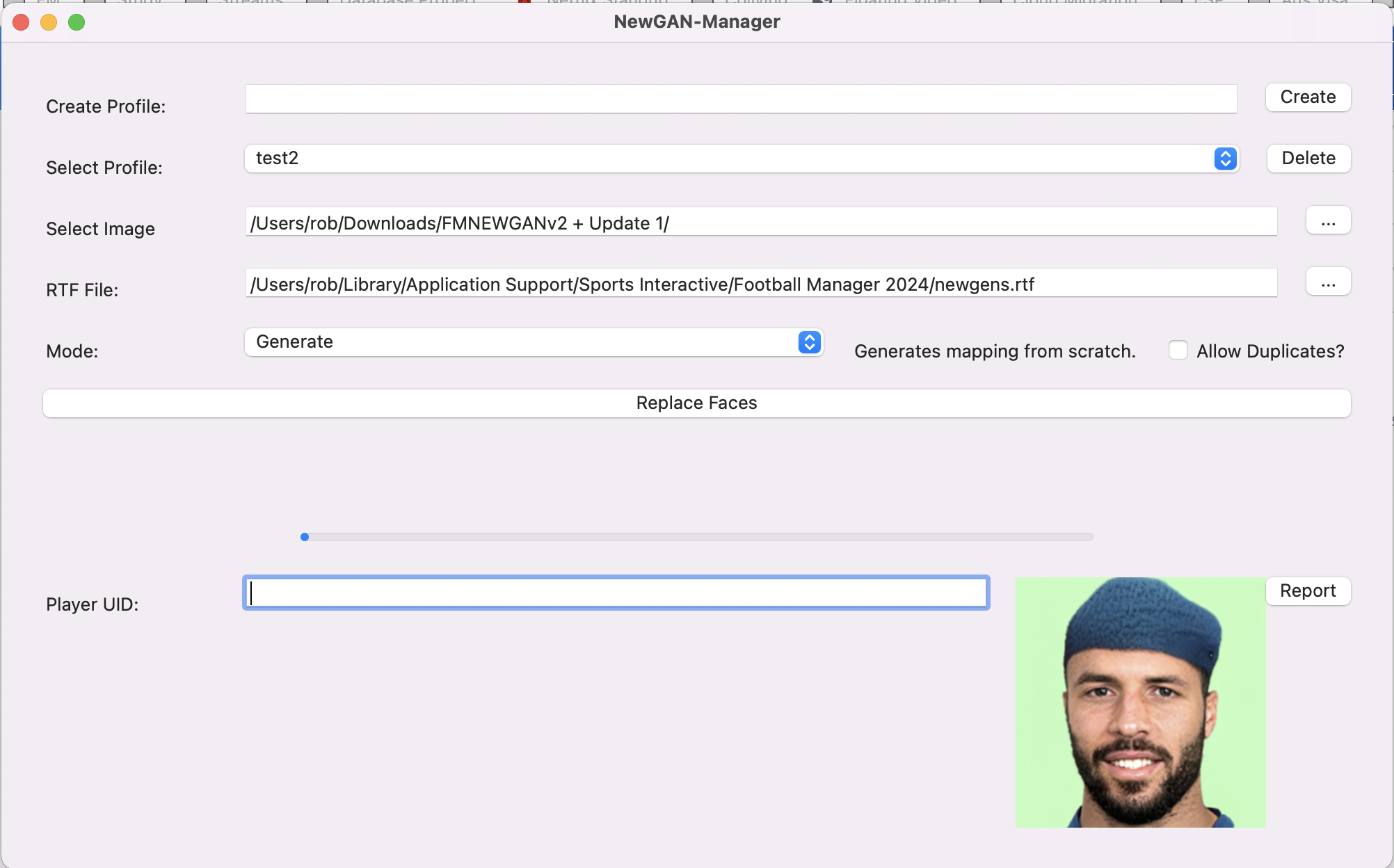
This is the Newgan Manager Tool which will let you generate a config file for Newgan players that you can combine with a Newgan Players Facepack in order to have realistic photos for new players that the game generates.
When you download it you will be greeted by a .zip file. Follow the same steps as in Step (1) to unzip this file.
You will then want to download click on the following file:
Windows: NewGAN-Manager-Installer-Win/windows/NewGAN-Manager.msi
Mac: NewGAN-Manager-Installer-Mac/MacOS/NewGAN-Manager.dmg
This will then install the program on your computer.
You may receive an error on Mac
“NewGAN-Manager.app”cannot be opened because the developer cannot be verified.”
To get around this simply go to Library > Applications find NewGAN Manager and click Right Click > Open and then select “Open”
Download NewGan Faces Images: https://sortitoutsi.net/graphics/style/33/ultra-realistic-newgan-faces-megapack
Full NewGan Faces Install Guide: https://sortitoutsi.net/installation-instructions/7/how-to-download-and-install-realistic-regen-player-faces-newgan-faces-in-football-manager
This has temporarily been posted without speaking to the author. I am trying to find a contact address for the author. The program is however open source and can be viewed here

- Date Created
- 26 Oct 2023 21:15:17
- Date Updated
- 26 Oct 2023 21:15:19
- Last Comment
- 06 Feb 2026 10:00:40
Comments
You'll need to Login to comment
Zhaen
exact same issue for me
Andrew Proudlock
Hi,
I have managed to update my new gen players fine but I want to do the staff and struggling.
I go in game, take the rtf file out of staff search using the staff view and filter. I have got the face pack for staff in the usual graphics folder. When I go into the fm.z tool and put the details in and press generate it dosent do anything.
Am I missing something? The guide is just the one for the players so I altered as I went as you would expect for staff…
Thanks.
lawrence_hart
I figured out the issue. It seems that if you delete profiles and then click "Delete" on No Profile, it can cause the app to break unpredictably.
Fix:
%LOCALAPPDATA%\Programs\Maradonna (gestalt)\NewGAN-Manager\app\newganmanager\.usercfg.jsonfile. (You can use VS Code or right-click and choose Edit with Notepad.)lawrence_hart
I figured out the issue. It seems that if you delete profiles and then click "Delete" on No Profile, it can cause the app to break unpredictably.
Fix:
%LOCALAPPDATA%\Programs\Maradonna (gestalt)\NewGAN-Manager\app\newganmanager\.usercfg.jsonfile. (You can use VS Code or right-click and choose Edit with Notepad.)Midgard2026
I just unzipped it to C: so i got one folder with the installer for the program, installed it, but also two separate folders called “filters” and “views”.
Can i put it elsewhere in some better place? Or will the link be broken to the program then.