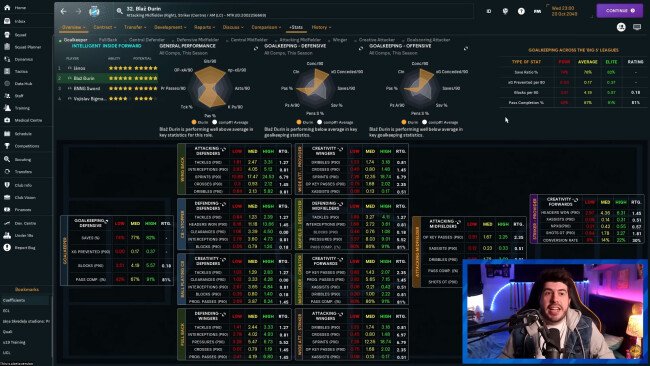
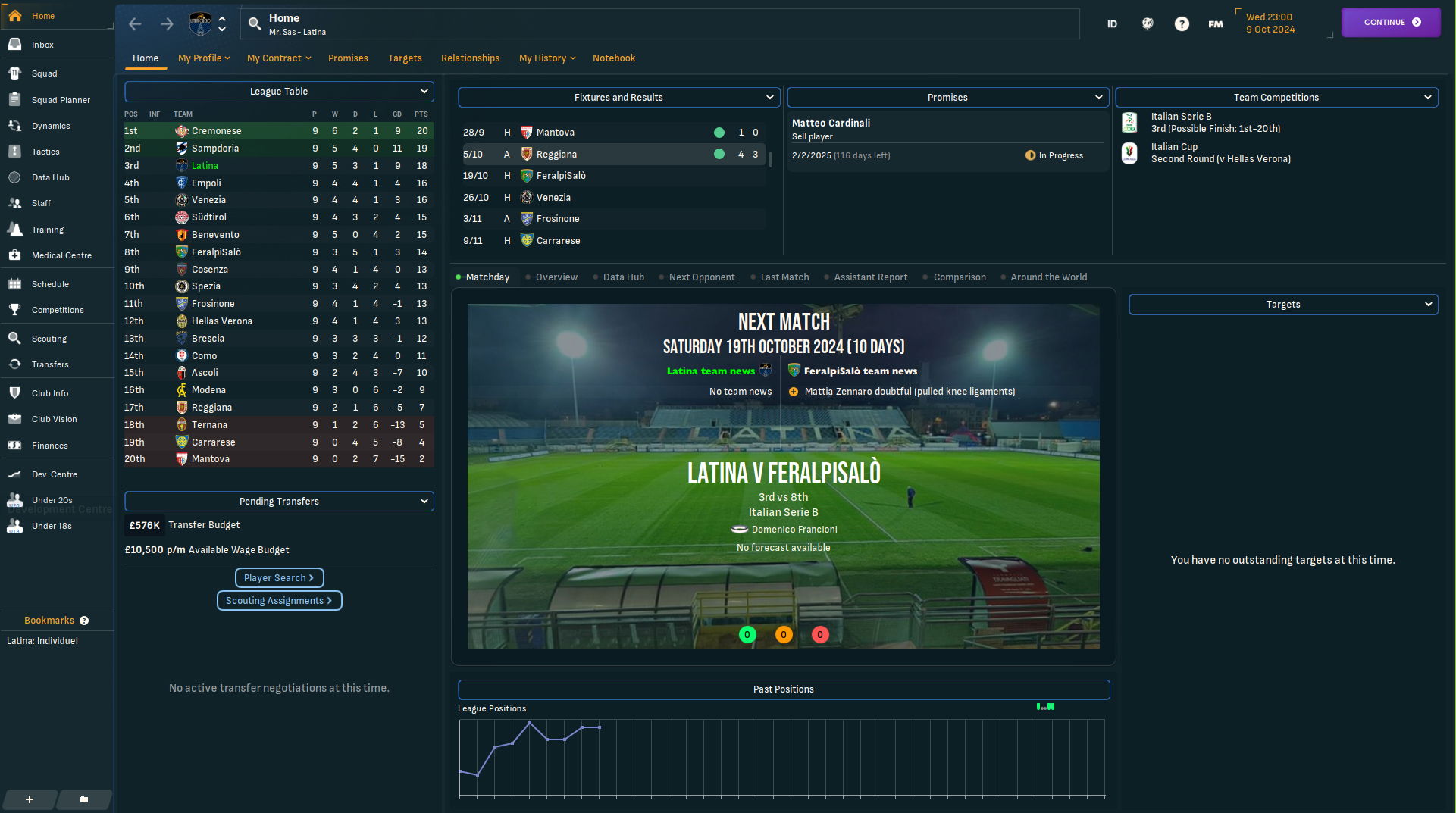
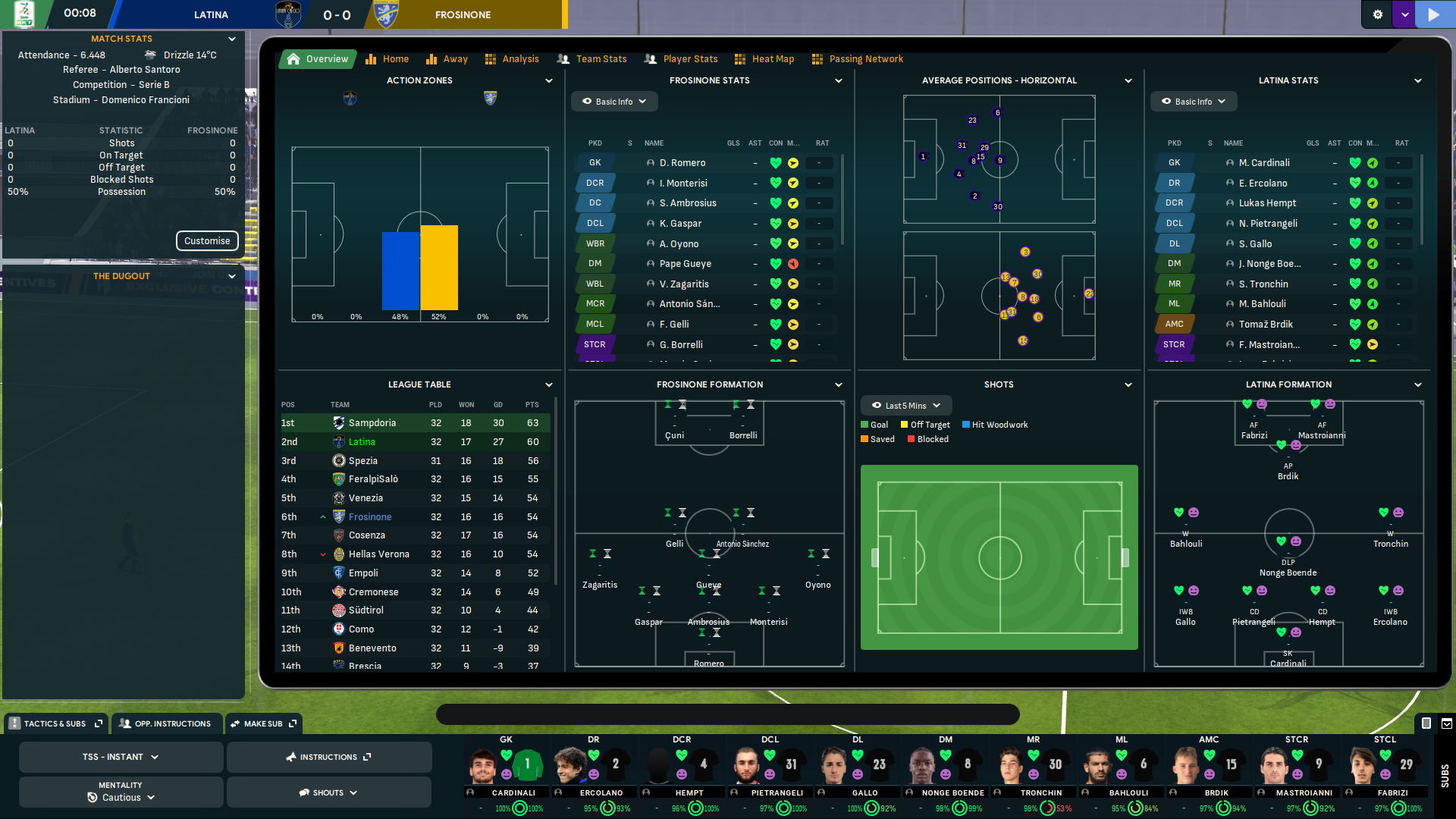
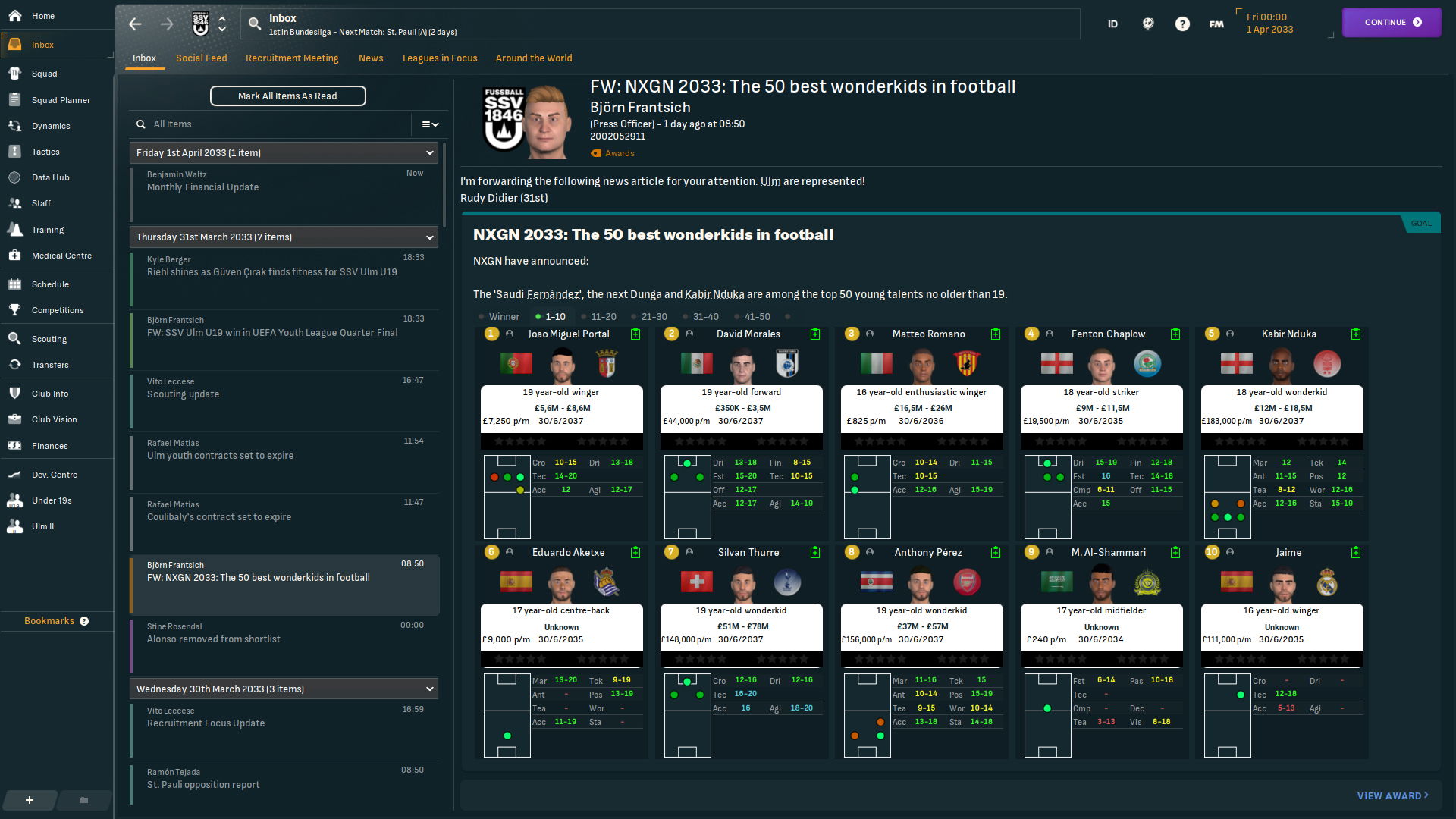
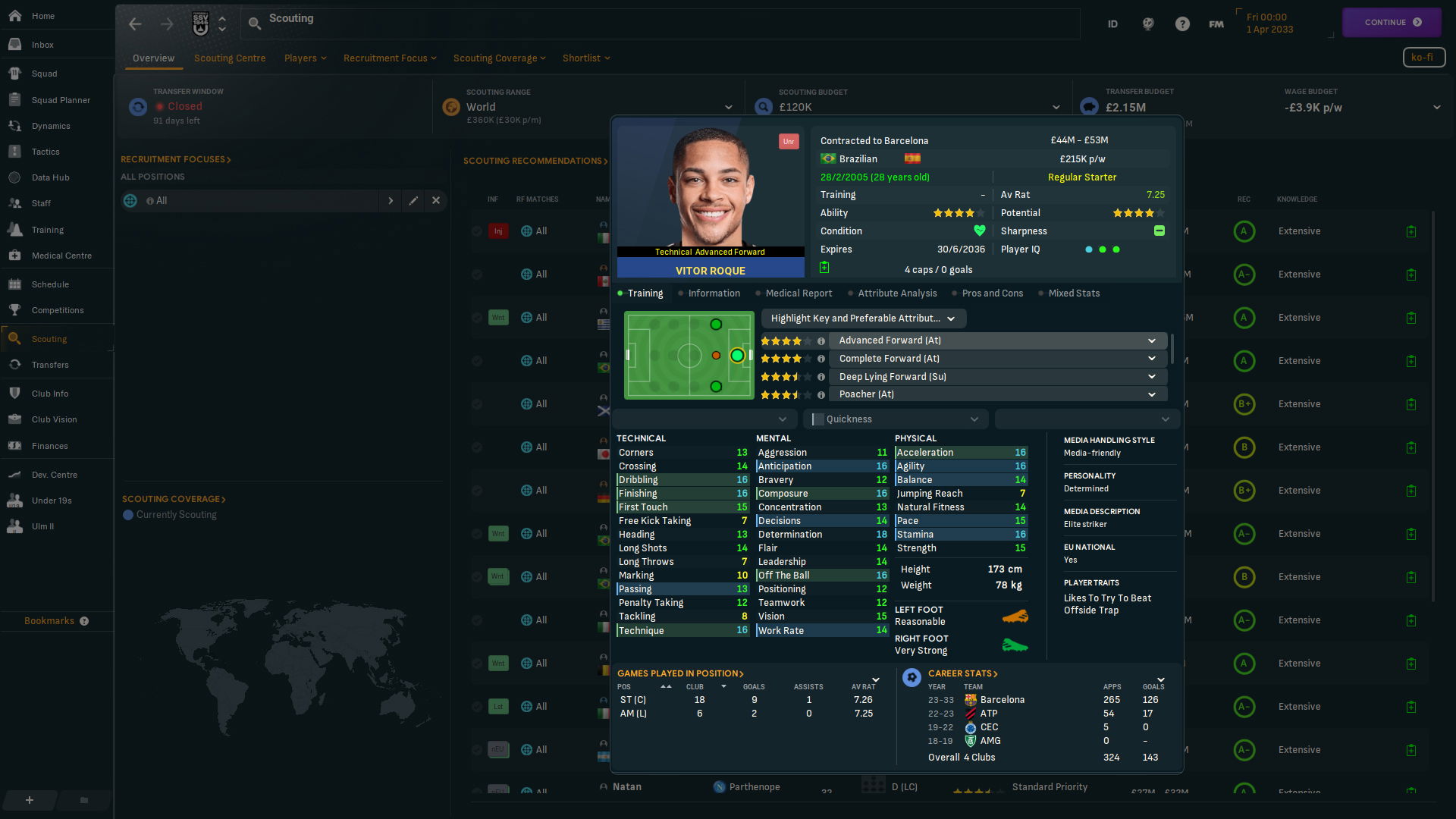
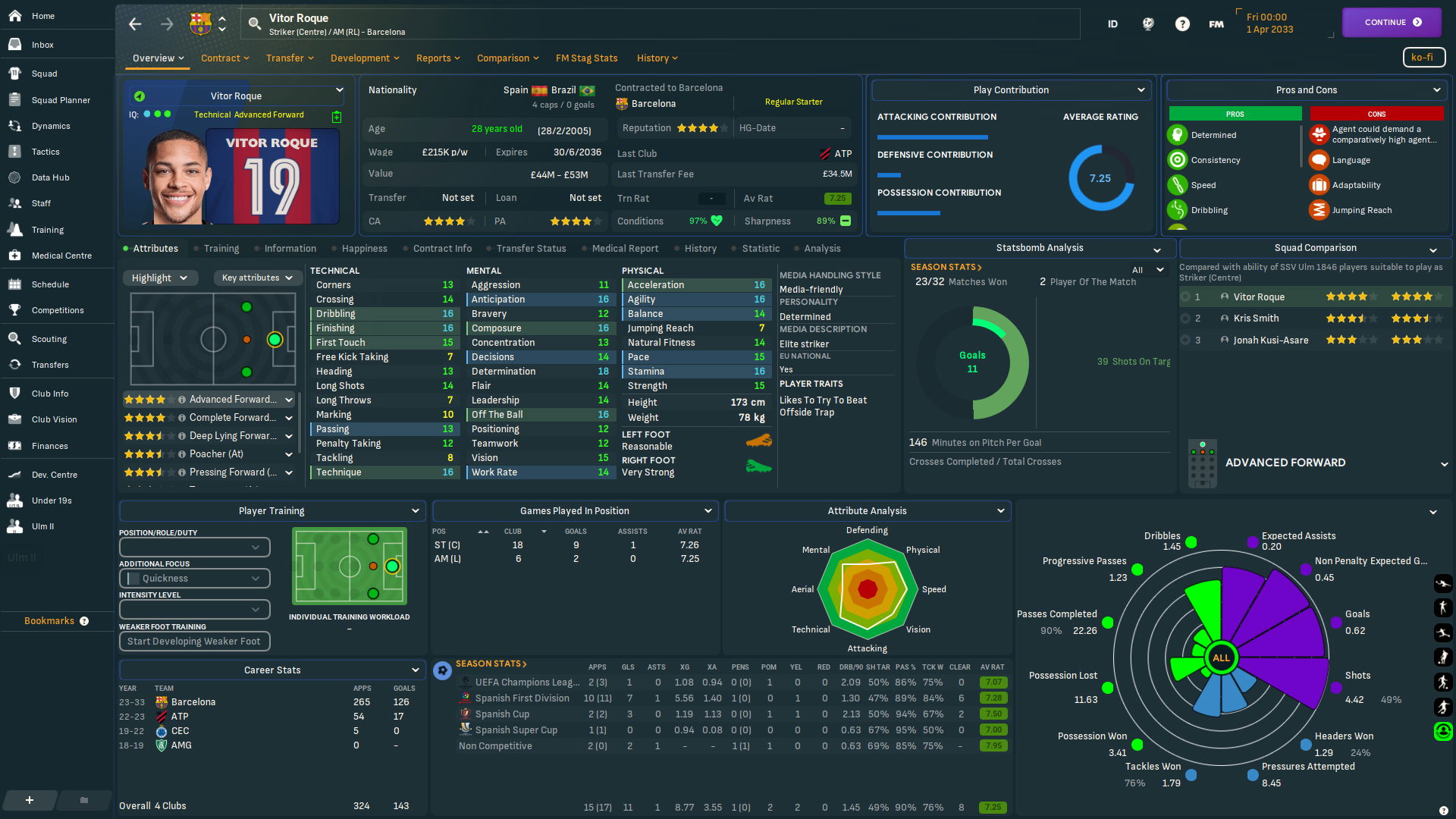


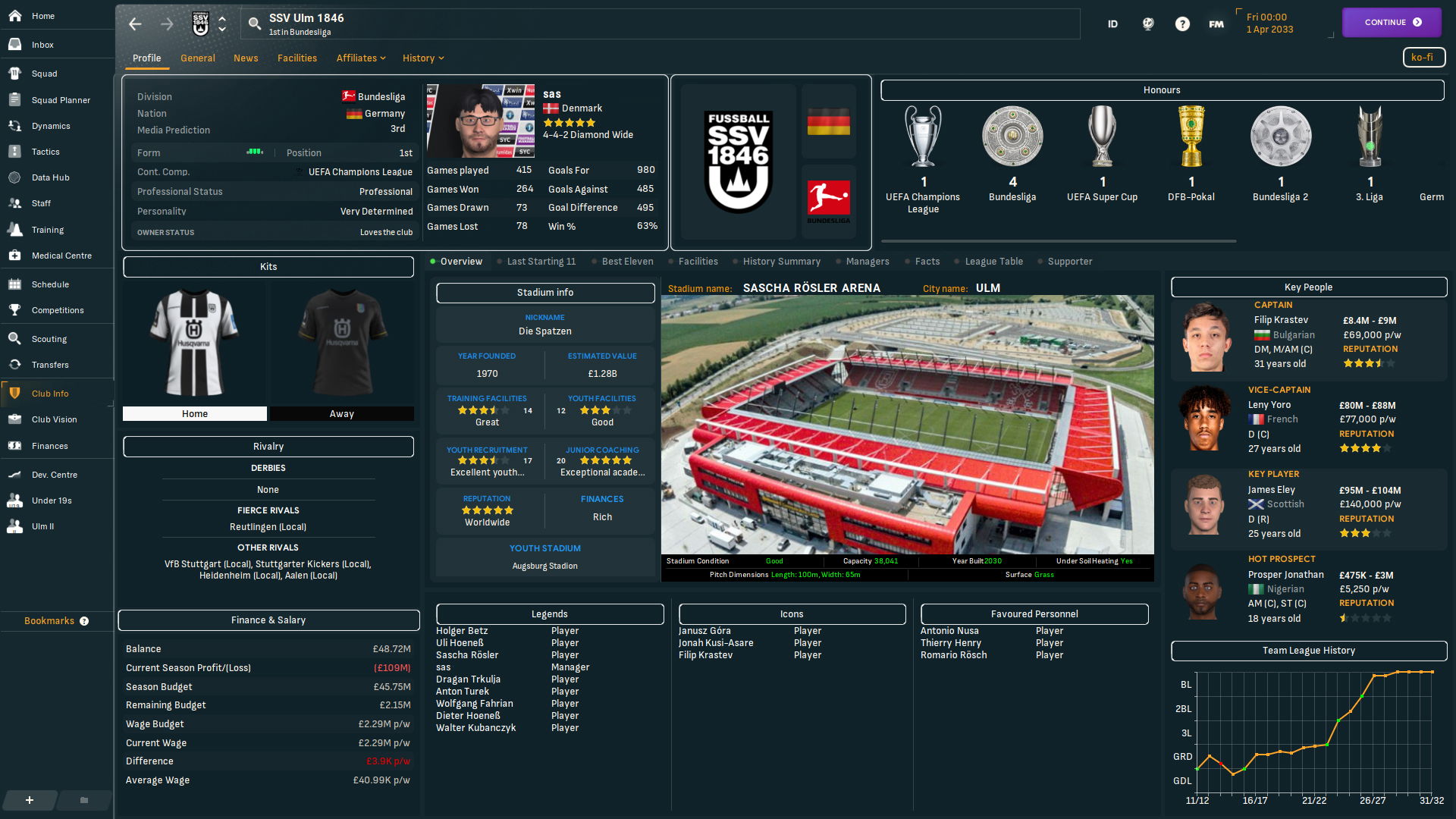
This Skin adds tons of extra data to various screens
There are 4 different options: Sas2025Final
- Sas2025Final
- Sas2025Final-background (background selector)
- Sas2025Final-Hidden
- Sas2025Final-Hidden-background (background selector)
---------------------------------------------------
There are 4 different options: Sas24
- Sas24.March.2.fmf - The Main Skin
- Sas24.Mar.2-hidden.fmf - The Main Skin with Hidden Attributes (requires In Game Editor)
- Sas24.Mar.2-laptop.fmf - Smaller version Optimised for Laptops
- Sas24.Mar.2-laptop-hidden.fmf - The Laptop Version with Hidden Attributes (requires In Game Editor)
+ 4 Zip packed
+ Sas24 FAQ
This skin is free to use and will always be free
If you feel like buying me a coffee so i can stay awake. it's never expected, but highly appreciated

Screen Resolution
Desktop version is optimized for 1920x1080 at 100% - 95% is preferred.
Laptop version is optimized for 1366x768 at 85% zoom
29th July 2025
Sas2025Final-Background
Sas2025Final-Hidden-Background
Both have been fixed as there were another bug with the use of backgrounds
29th June 2025
Just fixed the version with hidden attributes and background selector
So it again shows background pictures correctly, I had forgot to correct a line due to me making this version in a rush… my mistake.
17th May 2025
Added a version with hidden attributes and background selector
15th March 2025
Added a version of Sas2025Final with background selector
10th March 2025
***** IMPORTANT *****
There will NOT be a laptop version..
There will NOT be running support, it is as you see it.
*********************
----------------------
Removed from the skin.
----------------------
- Continue button above the inbox, "Read all mails button is now feeling lonely"
- Tactics on the bottom bar in matches as they caused lag for some
- jersey has been removed from the player popup, How it's only the player face.
- MODS
------------------------------------------------
--------------------
Changed/fixed in the skin.
--------------------
- 1 base version of Sas2025Final, 1 with background selector and 1 without
- Pizza chart dots have been adjusted for 100%, 95% and 85% zoom
- Bookmark menu has been updated and you can now click the same link over and over again - Thank to BouFitty
- Player faces/kits on player profil has again the option to pick (face+back, face+backZoomed, face+front or just face) ingame on the arrow.
- Info bar on Squad page top has been given a darker colour, due to the removal of the background options.
- Player IQ has been renamed to just IQ on player profil
- "Scout player button" on player profil is no longer re-clickable after clicking it.
- Attributes tab in player compare has been adjusted and will not show ... instead of numbers.
- Popup after instant result "should" no longer come up blank randomly.. i hope!
- Player numbers on Kits have been changed as the old one caused issues with some kits designs.
- Bits and pieces has been adjusted
------------------------------------------------
------------------------
Newly added to the skin.
------------------------
- Inbox mail - player trainings report has been changed.
- Inbox mail - Nxgn page has been updated - Thank to BGN/justHowie
- "Add to default short list" button added on "scouting centre(list view), players in range, Scouted players, Recruitment focus, player popup and player profil" - Button idea by BGN
- "Add to default short list" button added to "Syc - National Team Scouting" and to Selection info view, incase ppl wanted a base to build a view from with the button on.
- Player compare screen has had a face lift
- Staff ID in mails has been re-added, but made non interactive, so it wont interfere with hitting spacebar to continue
- Passing network has been added to the halftime and full time match screen next to the formation at the bottom. Thank to TCSSkin
- Match sharpness/fitness has gotten a name finally and has been moved from injuries to sas subfolder in views
- Team squad has also returned and is also in the sas subfolder in views
-----------------------------------------------
17th Mar 2024
- Fixed assists in the Team analysis view
- Changed "Match stats button" to be default, and MOD will now remove it
- Added home and away attendance to halftime screen and fulltime screen (center top midt)
- *Added Mods*
- Removes Match stats button from fixture page right side
15th Mar 2024
- Little update with stuff i forgot for the March update
- Added Loan out info to supporter page in club info
- Added "played minutes" back to the player stats panel
- *Added Mods*
- Adds Match stats on fixture page right side
1st Mar 2024
- Added DoB to agent offers on transfer deadline day
- Added side by side passing network panel to match tablet panels
- Removed the old "record" button in matches(next to instant result) as i never noticed that it was removed in the default game
- Change the circles to shirts on the bottombar tactics - Thanks to Geo28 for the idea
- Added player Stats to match tablet tabs - Thank to "Zekajlo" for the suggestion
- Combined player name and nationality on Opp instruction page
- Added promises next to recent match analysis and past meetings tab under the tactic in the tactic screen
- Asking price on contracts offer right side info panel, has been replaced by "current wage" which made more sense
- Squad page info bar has been redone. (desktop only for now)
- Adjustments has been made all over. (on the places i knew or heard needed it)
1st Feb 2024
- Nationality added to Opponent instrustions screen
- Average age in the Squad page info bar, should be more accurate now
- Fixed past meeting button text in the fixture list
- Added Home-Grown due date to player profil
- Fixed Shot-Maps home and away panels in tablet
- Added info icon next to Bookmarks header
- Added "big" kits to "club info - General" page
- Match tablet has been reverted back to what Sas24 was originaly released with.
13th Jan 2024
- Backroom staff ID - has been made into a Mod instead of being there by default (see the FAQ)- (it prevented spacebar to be used as continue)
- Corrected names of panels on the Tablet (Horizontal/Vertical)
- Added Momentum panel to left side panel
- Missing faces has returned to Inbox - Staff recommendations for players for next Team2 and U19 matches
- And Team selection advice (mail)
- And next opponent (home screen)
10th Jan 2024
- Match tablet has once again been reworked and tested and should be free of screen freezes
- i've also added Scout knowledge to Human manager profil
--Laptops--
- Staff profile, scout knowledge is now fixed.
- Added a note in the FAQ on how to make the Tablet able to move all the way to the left panel (for higher resolutioons then 1920x1080)
-- Disabled: I have disabled faces from the "Inbox - Staff recommendations for players for next Team2 and U19 matches" as it had a massive lag --
-- 4th Jan and & 5th Jan updates --
- I've removed the "update notes on these 2 dates as it was match tablet fixes and as they didnt fix anything they are useless..
-- what was added on those dates is below --
- I've added Backroom ID's in Mail title
- i've trimmed the "Player training panel" so it now fits into the smaller panels at the bottom
1st Jan 2024 update
- THE MATCH FREEZE: in 1st highlight that some ppl encountred "should" be fixed and should not happend again.!
- Adjusted text here and there
- Added stuff here and there
- Fixed color issues with quick flick buttons when looking at staff
- Added Average position - vertical panel to the match tablet
- Added Average position with and without ball to analysis tab on tablet - With Thanks and permission from Wozzie - Tato
- Personality added the right side panel contract offer (no club and have club)
- FM stag page has been corrected to not have 3 of the same datahub popup's
- City name added to club info page next to the stadium name
---Desktop only--- (sorry)
- Added Pizza Chart panel to bottom right panel in player profil (100%, 95% and 85% Zoom) versions - With Thanks and persmission from Gimn - Mustermann
- Mod to have the 4 extra panels on player profil (for high resolutions) - please read the FAQ
3rd Dec 2023 update
* Non vital update * Corrected a missing update of the Face and Front mod
1st Dec 2023 updates
- Assistant advice panel in matches has been removed as it's no longer part of the default game and was just blank
- Set pieces added to home screen next opponent tab
- Set pieces added to staff page bottom view(Coaching attributes)
- Age on Player profil and Staff profil is now able to be edited.
- Players age has now been turned green on the player profil, just like on the player popup
- In match % at the bottom bar now Live updates, Thanks for "Flut" for helping me locate the issue
- In match scoreboard has had clock and result font changed..it's not gonna be changed again
- Mail Scout Cards has been adjusted slightly, they still need a redo at some point. (not sure how it looks on laptops as i don't have one)
- Mini tactic on tactics collaps in the tactic screen is back... the "gongs" had run off with it. but i found it and got it back!
- Supporter Profil added to Club info page tab list
- Feet icons added to opposition instructions screen
- Duration has been added to the mail target/promises update page
- Match Tablet background got a colour change thanks to "DazS8"
- Staff Hidden attributes has been added to Hidden attribute version
- Mod to remove % from the player profil has been added
- Mod to be able to see the label for Moral icon in squad view has been added
6th Nov 2023 update
- Small adjustments and minor fiddeling done
- Set pieces data added to next match in the data hub
- Play contribution panel "should" be fixed so it no longer shows as a full primary colour box of the team, and not match the rest of the page
- The FM Stag Stats has been updated - based on : https://fmstag.com/statistics-what-does-good-look-like-in-fm24/
30th Oct 2023 update
- REMOVED: Pos-Stats has been removed as it was causing the lag when entering the player profil
-------------------------------------------------------------------------------------------------------
- Zip packed Skins have been added for easier use of mods - personal use
- Player profil faces/kits animations has been removed as they were causing some lag on the page
- Player profil Kits can now be changed to be seen from the front and as face only (see the SAS24 FAQ)
- The 4 extra panels for Higher resolutions has been removed as they caused problems with the panels below on higher resolutions
- Line between left Menu and Page has been moved to the border.
- I have changed the Panel Selectors ID's in the hopes the panels will start remembering things and not have alzheimers (your panels WILL be a mess 1st time now)
- Non Scouted players and trial players will now have the panels populate as normal
- In match single team passing maps(home and away panel) has been fixed so both no longer only shows the home team.
24th Oct 2023 update
- REMOVED: Transfer History page has been reverted back to default as the "old" code with bars did work properly anymore
-------------------------------------------------------------------------------------------------------
- Skins have had some minor adjustments.
- Personality added to staff popup
- Staff face has been moved abit to the right
- Dobbelt arrows reverted back to single arrows, they would not play nice 😢
21st Oct 2023 update
- Bookmarks Menu - Has been moved 1 link down, scrollbar will show once the space is used. check the FAQ on how to reduce / get more room
- Few new panels added to player profil
- Stuff has been nuked, stamped on and then put back in place (nothing has been removed)
- There is currently 1 "wip" panel
- Skin has gone from 39.9mb down to 21.45mb
Credits and Thanks
- Michaeltmurrayuk for the mods
- Bluestillidie00
- Flut
- FMEnchanced
- _Ben_
- Gimn
- BuzzR
- Drakestone
- Keysi
- A31632
- Tato
- Wkdsoul
- Tyburn
- OPZ skin
- Andromeda skin
- Cat Skin FM22
- Flut skin
- YACS skin
- TCS Skin
- Ironowl
- BouFitty
- BGN for nxgn idea and code
- JustHowie for nxgn idea and more
- DazS8 - for Match Tablet colouring
- FM Stag - FM Stag Stats
- MaxPower22 and friend for lag testing
- Margs for Laptop feedback, idea's etc
Twitch links
- Jebaroo at https://www.twitch.tv/Jebaroo - for deep match freeze testing.
- Ecxoes at https://www.twitch.tv/ecxoes
- Dreamtrip at https://www.twitch.tv/dreamtrip
- Conriddle at https://www.twitch.tv/conriddle
- Secondyellowcard at https://www.twitch.tv/secondyellowcard
- Davidnyholm at https://www.twitch.tv/davidnyholm
Comments
You'll need to Login to comment
sasmaz
Thats because you use a background picture pack and not the background selector under the continue button
so move your background picture pack out from your graphics folder and setup the background selector (also make sure you have the latest version as i fixed a bug a few weeks ago)
schdrahlo
I just updated all graphics two days ago.
And i use the SaS-skin already quite a long time (but up to now it was an elder version); And since the update, the background ‘darkness’ not anymore to set.
In between i made a step back (as an attempt to solve the problem) to a bit elder version - but now it isn't possible anymore to switch between 0-80%; now there's ‘just’ a black background, which hides the picture in the back (what was any how nice). 😢
sasmaz
The picture you show does not support background pictues
you have to use the version that has background in the name
The Sas24 skin or
4.5) Sas2025Final-Hidden-Background.fmf
4.8) Sas2025Final-Background.fmf
If the skin supports background pictures, it will have a little monitor under the continue button
and if you want to use the opasity button, you have to setup the background selector (see the link i dropped in previous reply
sahin93
This scoreboard is from Zeeland skin,, is there a possibility to add something like these scoreboards for champions league and uefa europa league with logos and stuff because I cannot seem to properly transfer files from other skins it just breaks the skin altogether🙂
sasmaz
All comps have there own folder inside the match folder
you have to replace the scoreboard file in there, but it's not a guarantee it will work. but you can give it a try.
schdrahlo
Hi once more, sasmaz,
now i switched -once more- back to Sas2025Final-Hidden-Background.fmf - and i've still the same problem: yes, there is a small button for switching the opasity… but this doesn't work. All the same, if i choose 0% ore 80% ore anything between - the opacity does not change. It seems (for me as a ‘longer-time-user’ of SaS24.March.2.fmf) as if it's all the time 0%, what means quite bright - so that in some categorys of the game (of course dependent on the concret background-picture) the text is (almost) illegible.
Here the same screenshot with SaS24.March.2.fmf at 80%…
and at 0% (which is identical to the newer scin at any opacity):
sasmaz
You were right, i just tested the 2 background versions and somehow, something didnt work with the backgrounds… which is odd
But i have fixed it now and will update both in a few min
Sas2025Final-Hidden-Background
Sas2025Final-Background
So once they are updated, please let me know if they if they are behaving as they should
schdrahlo
Just downloaded & imbedded it… And now it's perfect!
Thanks for your work & greetings! 🙂
sasmaz
You're welcome
Thank you for bringing it to my attension and sticking with it..
sahin93
The scoreboard you did is excellent for league matches but it also shows up in champions league matches as well. How do I remove it so I can edit the original champions league scoreboard because I cannot seem to find the default files somehow even the base skins do not have the default files in comps folder:/
sasmaz
Yes i used the same scoreboard across the line as i prefer it.
but you will have to extract the base files from the game using the resource archiver free from steam
all the other competitions are in the match/comps folder of the skin.
Hi, @sasmaz , I had posted here two times that I want to share you with an updated sas skin edited by me, but I didn't get your reply. Sas Skin is my favorite fm skin and motivate me to learn lots of skin editing knowledge and tricks, thus I turn into an veteran from a skin editing rookie in less than 2 months.
Would you mind giving me your email address so that I can send you the updated skin made by me? Thanks a lot.
sasmaz
Hello aaron_zq17
I think it's nice and cool that you made personal changes to my skin, it's about having something that makes you enjoy the game more
however, it would appreciate if you kept it personal 🙂 thank you
ManMan123456
Hi Sas, I'm just wondering how to get the Sas filter for Percentage-based conditions and sharpness back, as I was doing some personal edit of the skin for my own use and has seemingly delete the files for those and honestly cant figure it out!
sasmaz
Q: The % isnt showing.
A - Go to preferences - untick "use caches for faster loading" then clear the cache (bottom left "reset dropdown"), pick skin, reload skin, restart game and the % will return
- Changing skin may cause it to vanish then just redo the above.
sahin93
Hey Sasmaz!! Where can I change the size of the players names on the pitch so that I can make them a little bit bigger. Thank you
sasmaz
I have no idea sorry.
My guess is that somewhere in the default font folder is a file that controls the names
you would need to extract that file and place it in the skins font folder and then edit it to the size you would want, but i have no idea what the name of the file 😢
sahin93
Is it possible to turn all backround box headers to the teams' primary colour just like Career Stats backround is red for man UTD and blue for Chelsea and so on.. Thanks
sahin93
Okay I figured it out🙂
tlainas22
I can not figure out how to put the real stadium picture in the rectangle and it shows this generic pic in every team
sasmaz
you need to use a stadium pack, place the unpacked in the graphics folder of FM
use something like this
https://fminside.net/downloads/misc-graphics/213-mini-stadiums-pack
Tiger 17
hey im playing on laptop, why it appears like this
Qvordrup
The stadium pack available on this site is much more up to date and has pictures of superior quality 😀
https://sortitoutsi.net/graphics/style/17/sortitoutsi-backgrounds-megapack
sasmaz
I agree
But as it's a Background pack aswell it messes with the Skin and shows stadiums etc as full background
and as fewer ppl know how to seperate the things, it's easier for me personally to give them a pure stadium pack 🙂
Qvordrup
Fair enough, but the background/stadium packs are actually five packs (not one big pack) you can download separately. So you can just download the stadium pack and only use the “stadium inside” part, and we have changed the “stadium background” part so it only acts as a stadium background and nothing else to make it a more “clean” stadium pack 👍
gbesemete aaron
hi good afternoon whenever i am playing a match, there is this background with everything including visualizer, match stats on all on the left side that doesnt go away no matter what but the one on the right side goes away when there ain't about to shoot or score
sasmaz
Click the scoreboard
Rob Innes 2025
what link do i download ?
Rob Innes 2025
Or where's the main SAS24 Download link ?
sasmaz
top of the page right side