
Ahmed Abdelrasoul - Submissions - Cut-Out Player Faces Megapack
2000230545 Background and Stadium Packs


Submitted
10 Feb 2026 19:05:34
Timeline

Rejected
by mons
on 29 Jan 2026 07:31:54

Sorry my bad as it's my first submission ever, Will definitely take a look at the video and resubmit. Thank you!
Sorry my bad as it's my first submission ever, Will definitely take a look at the video and resubmit. Thank you!
No worries. If you have any issues or queries, best to post in the tutorial thread before uploading images, so that we can give you feedback to improve your technique moving forward 😉
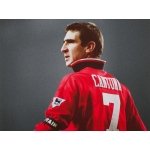


This image is part of a pack:
cutting F3
@Mazen_Darwish7, a couple of things to keep in mind:
a) good effort, but this cut has a fair bit of snow:
Snow is the colour from the background of the cut which was not totally removed. It is often white (hence ‘snow’) but it can be other colours. It can often be easily removed by putting the cut through remove.bg.
Here's a video on how you can easily remove any remaining snow thereafter within Photoshop:
b) we want the player's face to fill the canvas for the 250px cutout, which would mean cropping the image along these red lines:
At the same time, we want all cuts to include a little bit of collar. Since in some sources like this one, the person in the image may have a longer neck than usual, this would be quite difficult to achieve naturally.
Here's a video of the process on how to nudge the collar upwards:
c) when you have a lot of images to upload, then you should upload them as a pack instead of individually and save the both of us some time.
You can also upload up to 50 images per pack instead of just a maximum of 3 when done individually.
Finally, this thread contains guidelines for what we're looking for in our cuts in terms of dimensions, snow, collars, face orientation etc. and video tutorials for each element.
If you want to give them another go yourself, I would recommend using remove.bg, which is a free online tool which removes the background to an excellent standard, for free and almost instantly. Here's a couple of videos on how to use it, one when combined with Photoshop and another using photopea.com, which is a free online app so close to Photoshop that it has the same shortcuts, layout and icons.
If you don't have Photoshop, photopea.com is the tool I would recommend to use to tweak the draft cut produced by remove.bg. It's more powerful and versatile than GIMP and other similar tools.