@MattDane3, what cutting technique are you using? This image has a considerable amount of snow:
Snow is the colour from the background of the cut which was not totally removed. It is often white (hence ‘snow’) but it can be other colours. It can often be easily removed by putting the cut through remove.bg.
Here's a video on how you can easily remove any remaining snow thereafter within Photoshop:
I would recommend using remove.bg, which is a free online tool which removes the background to an excellent standard, for free and almost instantly. Here's a couple of videos on how to use it, one when combined with Photoshop and another using photopea.com, which is a free online app so close to Photoshop that it has the same shortcuts, layout and icons.
If you don't have Photoshop, photopea.com is the tool I would recommend to use to tweak the draft cut produced by remove.bg. It's more powerful and versatile than GIMP and other similar tools.

 Background and Stadium Packs


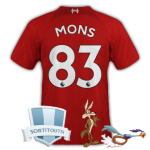
@MattDane3, what cutting technique are you using? This image has a considerable amount of snow:
Snow is the colour from the background of the cut which was not totally removed. It is often white (hence ‘snow’) but it can be other colours. It can often be easily removed by putting the cut through remove.bg.
Here's a video on how you can easily remove any remaining snow thereafter within Photoshop:
I would recommend using remove.bg, which is a free online tool which removes the background to an excellent standard, for free and almost instantly. Here's a couple of videos on how to use it, one when combined with Photoshop and another using photopea.com, which is a free online app so close to Photoshop that it has the same shortcuts, layout and icons.
If you don't have Photoshop, photopea.com is the tool I would recommend to use to tweak the draft cut produced by remove.bg. It's more powerful and versatile than GIMP and other similar tools.