@Daniel Ewe, a few things to keep in mind for future cuts:
a) this cut has a fair bit of snow:
Snow is the colour from the background of the cut which was not totally removed. It is often white (hence ‘snow’) but it can be other colours. It can often be easily removed by putting the cut through remove.bg.
Here's a video on how you can easily remove any remaining snow thereafter within Photoshop:
b) Brightening darker images like this one always looks better in-game. The easiest way is to go to this tab in Photoshop:
and tweak the brightness slider.
There is also a Photoshop action file, available for download here, which contains a lot of common actions, including one for brightening, for ease of use 😉
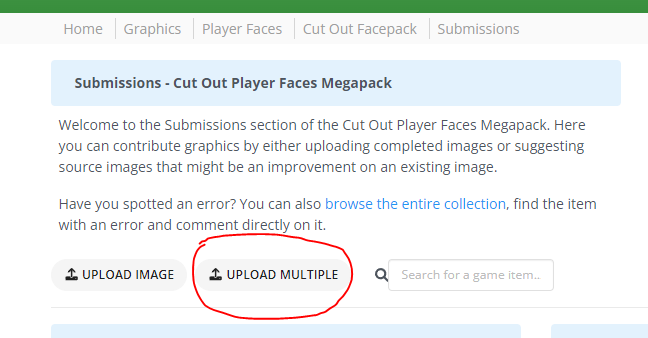
c) when you have a lot of images to upload, then you should upload them as a pack instead of individually and save the both of us some time.
You can also upload up to 50 images per pack instead of just a maximum of 3 when done individually.
@Daniel Ewe, a few things to keep in mind for future cuts:
a) this cut has a fair bit of snow:
Snow is the colour from the background of the cut which was not totally removed. It is often white (hence ‘snow’) but it can be other colours. It can often be easily removed by putting the cut through remove.bg.
Here's a video on how you can easily remove any remaining snow thereafter within Photoshop:
b) Brightening darker images like this one always looks better in-game. The easiest way is to go to this tab in Photoshop:
and tweak the brightness slider.
There is also a Photoshop action file, available for download here, which contains a lot of common actions, including one for brightening, for ease of use 😉
c) when you have a lot of images to upload, then you should upload them as a pack instead of individually and save the both of us some time.
You can also upload up to 50 images per pack instead of just a maximum of 3 when done individually.
the action file will come in handy for me in my future cuts! thanks!

 Background and Stadium Packs






@Daniel Ewe, a few things to keep in mind for future cuts:
a) this cut has a fair bit of snow:
Snow is the colour from the background of the cut which was not totally removed. It is often white (hence ‘snow’) but it can be other colours. It can often be easily removed by putting the cut through remove.bg.
Here's a video on how you can easily remove any remaining snow thereafter within Photoshop:
b) Brightening darker images like this one always looks better in-game. The easiest way is to go to this tab in Photoshop:
and tweak the brightness slider.
There is also a Photoshop action file, available for download here, which contains a lot of common actions, including one for brightening, for ease of use 😉
c) when you have a lot of images to upload, then you should upload them as a pack instead of individually and save the both of us some time.
You can also upload up to 50 images per pack instead of just a maximum of 3 when done individually.