FM05-24 3D Kits
3D Kits are special kits designed to make the match engine look even better, with the players wearing customised and improved kits on the pitch.
These will only work with FM24 and earlier. They will not work with the most latest unity versions from FM26 onwards.
- 913
- 2026.07 - Released on 06 Jul 2026
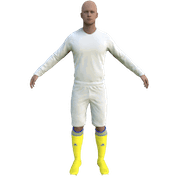

Italy - Serie C 3D'2020/21 for FM20/21 by Realizzato da FCL (FMIF) New! (28/11/20)
1. Extract folder to Documents/Sport Interactive/Football Manager 20##/graphics/kits/put in here!
( If there is no graphics folder there, create "graphics" )
2. FMXX - click 'Preferences' > 'Interface' > unticked 'Use caching to decrease page loading times & tick 'Reload skin when confirming changes' > click 'Reload Skin' for first your time.
THEN ALWAYS when you download other packs, DO Click 'Preferences'>'Interface'>'CLEAR CACHE then again click 'RELOAD SKIN' AS ALWAYS after downloading to folders.
Enjoy 🙂
1. Extract folder to Documents/Sport Interactive/Football Manager 20##/graphics/kits/put in here!
( If there is no graphics folder there, create "graphics" )
2. FMXX - click 'Preferences' > 'Interface' > unticked 'Use caching to decrease page loading times & tick 'Reload skin when confirming changes' > click 'Reload Skin' for first your time.
THEN ALWAYS when you download other packs, DO Click 'Preferences'>'Interface'>'CLEAR CACHE then again click 'RELOAD SKIN' AS ALWAYS after downloading to folders.
Enjoy 🙂

- Date Created
- 28 Nov 2020 17:43:37
- Date Updated
- 29 Dec 2020 12:33:22
- Last Comment
- 11 Dec 2021 17:53:23
Comments
You'll need to Login to comment
jose.a.
mons
Use Winrar (or the Unarchiver if on a Mac) to extract this.
sanna
Any suggestions to correct it? Does not happen for any other team by the way.
Tommy Hughes
There's a mistake in the \Girone A\config.xml file that makes the game read the AlbinoLeffe kits as if they were 2d shirts. You can easily fix the issue by editing the forementioned file (in Windows Notepad, for example) and changing these lines:
<record from="albino_1" to="graphics/pictures/team/1142/kits/home"/>
<record from="albino_2" to="graphics/pictures/team/1142/kits/away"/>
<record from="albino_3" to="graphics/pictures/team/1142/kits/third"/>
into these:
<record from="albino_1" to="graphics/pictures/team/1142/kit_textures/home"/>
<record from="albino_2" to="graphics/pictures/team/1142/kit_textures/away"/>
<record from="albino_3" to="graphics/pictures/team/1142/kit_textures/third"/>
aethelbeorn
RoCCo_42
hammer9
(updated - fixed config error)
msithis
abcxyzx
thanks dude
great job
89enigma
why Perugia 3dkit nit working?
hammer9
make sure - unticked 'Use caching to decrease page loading times & tick 'Reload skin when confirming changes in Preferences
have you tried SSKCC? for 20/21 for FM21 - https://sortitoutsi.net/content/57057/some-kits-not-working-sskcc21-v00-for-ss202021-kits-on-fm21-only-soon
Reload skin, start a game.(not your current game)
OR
if your current game, you can do it yourself with an "in-game editor",
see video - https://www.youtube.com/watch?v=sUTdtghWpxI&t=148s&ab_channel=bolid74kits