


Subscribe to this thread (by following these steps) so you get notifications whenever a new version is released.
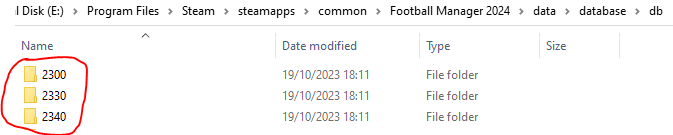
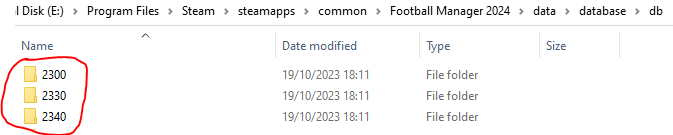
If you are playing an FM23 save in FM24, then this fix needs to be also installed in the below folders:
If you have any issues, first read the FAQ.
This file will need to be re-applied if/when official patches/updates are released to ensure full compatibility. This is due to the fact that some files which are removed when installing this file are automatically re-installed by Steam when official patches come out.
Some of these changes, ESPECIALLY THE CLUB NAMES, do NOT apply in existing save-games. There's a workaround for that in the first post.
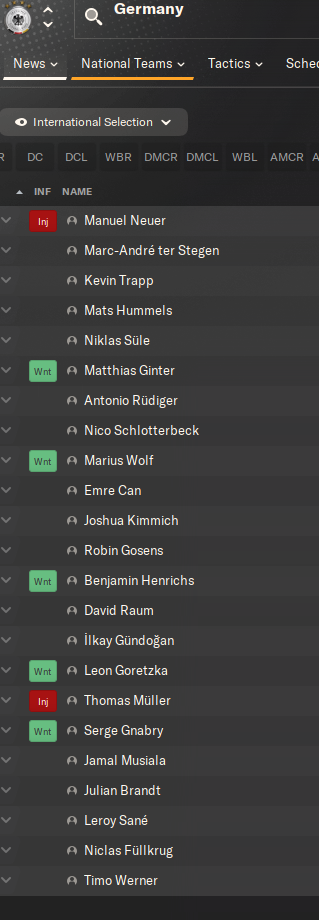
The sortitoutsi real names fix changes the instances of fake names in Football Manager 2024 to the proper, real life names for awards, cities, stadiums and competitions, in cases where the actual name is not licensed, such as Premier League displaying instead of Premier Division. It will also fix the fact that the German National team doesn't call up real players. These fixes are all fully save-game compatible.
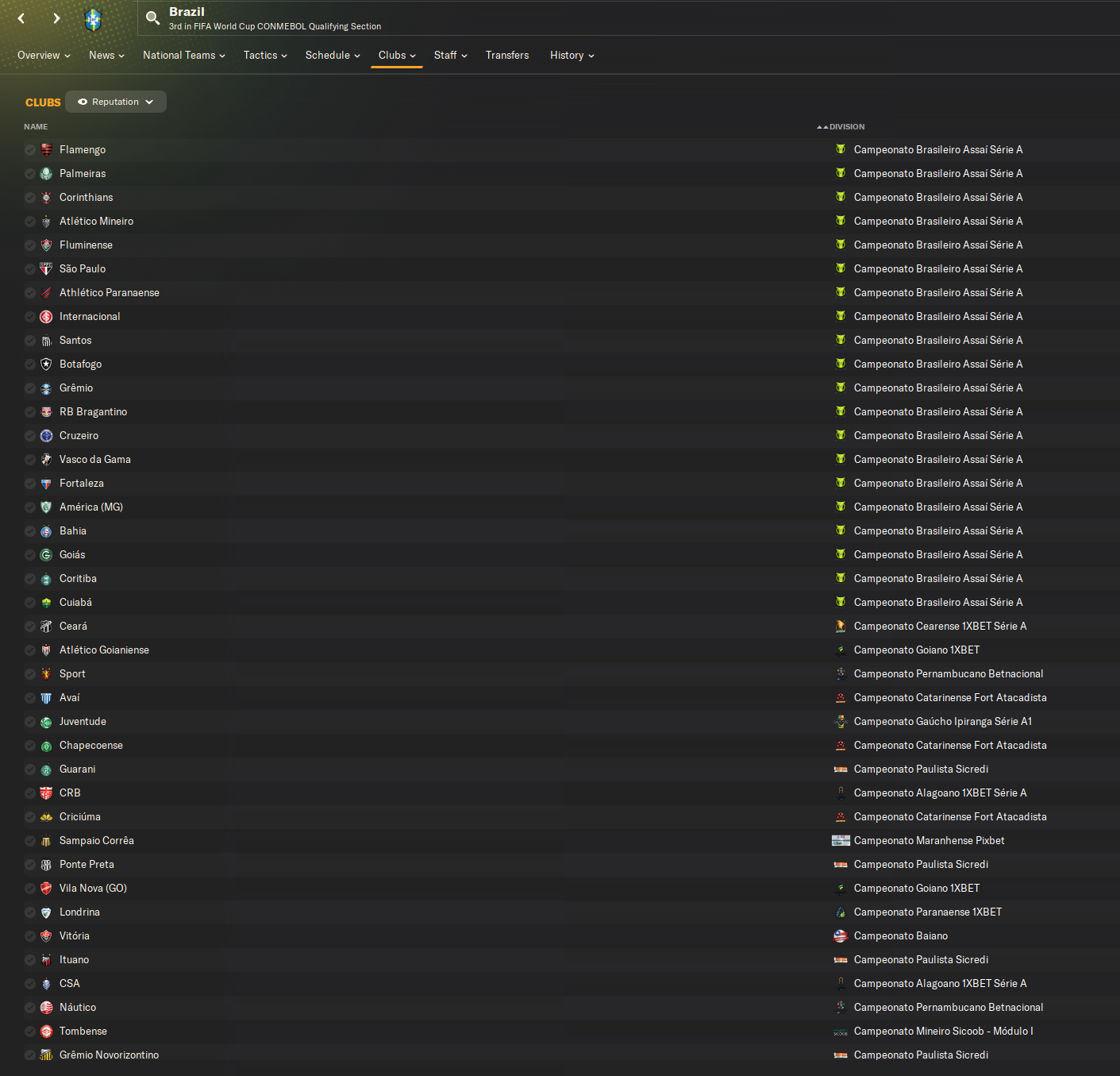
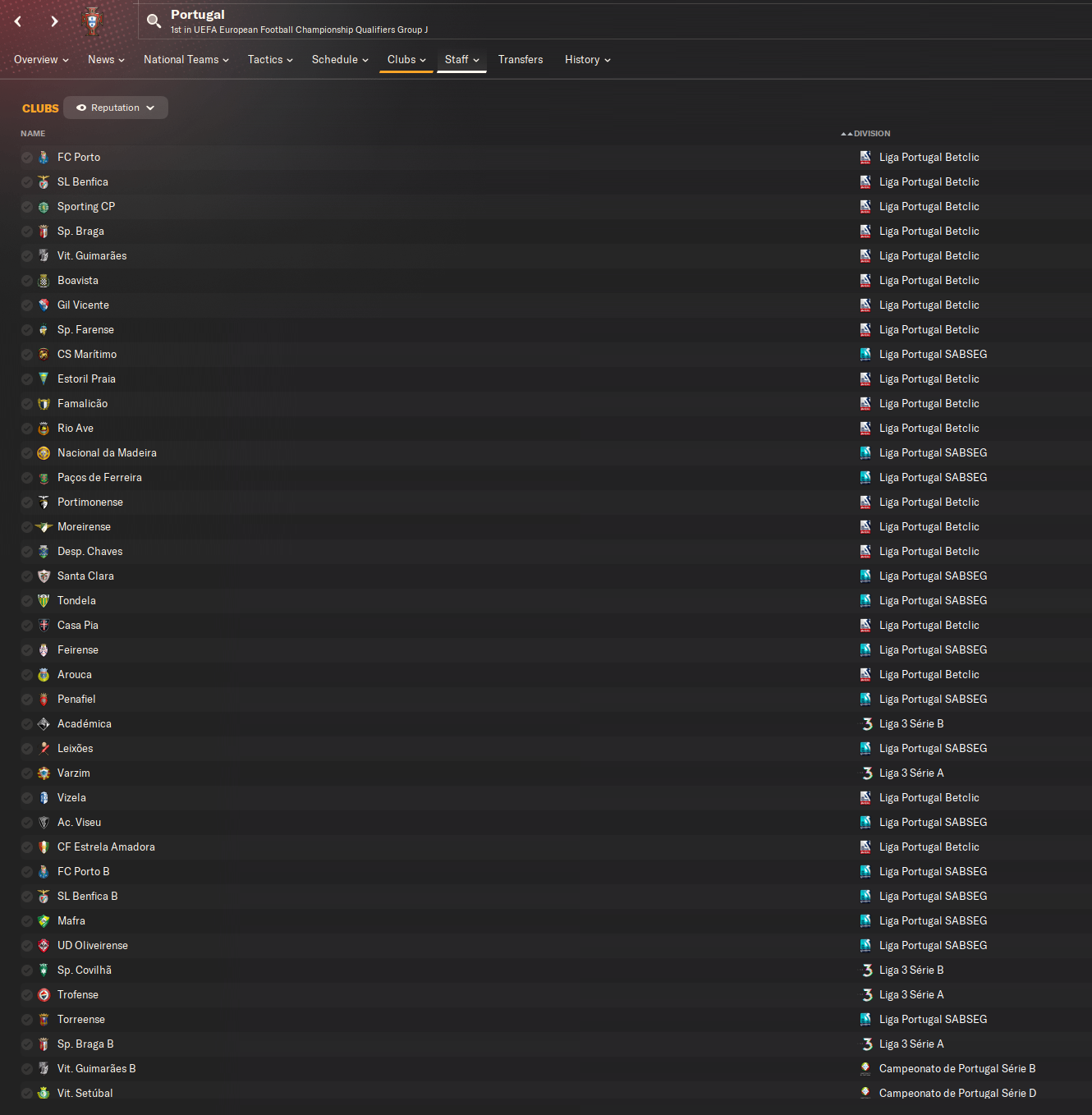
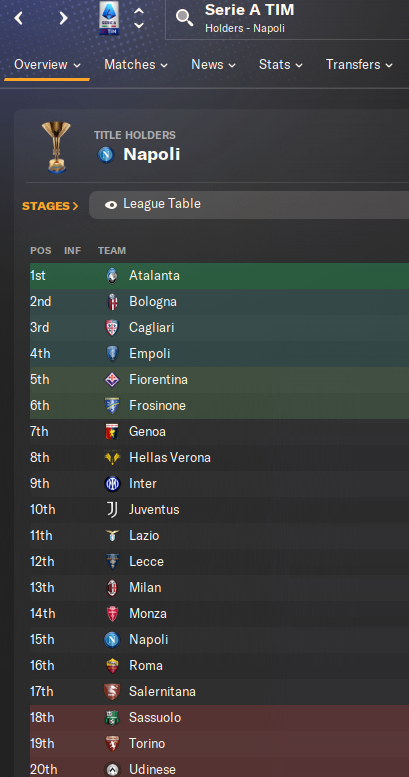
There is also a club name changes file, which changes the names of clubs in a way which ensures that any nicknames entered in the default database are retained. This file includes the proper names for Brazilian, German, Spanish, Portuguese, Italian (including Napoli) and French clubs, as well as Manchester Utd, to circumvent licensing restrictions. It also adds real-life media and journalists, encompassing most major footballing nations and continents. Brazilian clubs' text colours are also changed through an editor data file. Another editor data file creates the Ajax non-playing staff missing from the database due to licensing restrictions. Finally, it includes a small file which corrects the 3-Letter competition names to correspond with any changes made in the lnc files. For all the files in this paragraph to work, however, you will need to start a new game.
Follow the below instructions to install this version of this file
STEP 1.
If you are playing an FM23 save in FM24, then this fix needs to be also installed in the folders in the below image IN ADDITION TO THOSE INDICATED BELOW the image:
OPEN
Program Files (x86)\Steam\SteamApps\common\Football Manager 2024\data\database\db\2400
DELETE only the dbc , edt and lnc folders
OPEN
Program Files (x86)\Steam\SteamApps\common\Football Manager 2024\data\database\db\2430
DELETE only the dbc , edt and lnc folders
Notes: \Program Files (x86)\ could be \Program Files\ depending on your set up.
Equivalent folders for PC players on Gamepass
PC players on Gamepass
I am led to understand that mods are enabled by default this year, so nothing needs to be done other than the below
OPEN
Xboxgames\Football Manager 2024\data\database\db\2400
DELETE only the dbc , edt and lnc folders
OPEN
Xboxgames\Football Manager 2024\data\database\db\2430
DELETE only the dbc , edt and lnc folders
Equivalent folders for PC players on Epic Games
Epic Games Installation
OPEN
Program Files (x86)\Epic Games\FootballManager2024\data\database\db\2400
DELETE only the dbc , edt and lnc folders
OPEN
Program Files (x86)\Epic Games\FootballManager2024\data\database\db\2430
DELETE only the dbc , edt and lnc folders
Notes: \Program Files (x86)\ could be \Program Files\ depending on your set up.
Equivalent folders for Mac users
Mac installation
OPEN
/ Users / username / Library / Application Support / Steam / steamapps / common / Football Manager 2024 / data / database / db / 2400
DELETE only the dbc , edt and lnc folders
OPEN
/ Users / username / Library / Application Support / Steam / steamapps / common / Football Manager 2024 / data / database / db / 2430
DELETE only the dbc , edt and lnc folders
The easiest way to get to these folders is by going to Finder > Go > Go to Folder and copy and paste these exact paths and you will be taken to the right places ~/Library/Application Support/Steam/steamapps/common/Football Manager 2024/data/database/db/2400/
Alternatively you can get to the Library folder by simply selecting Go from the top bar and holding "alt" key - The Library folder suddenly appears on the drop down menu
For Mac Lion users, the Library folder will be hidden. Use this link to find out how to show it.
For those struggling to find the Steam and Steam Apps folder etc using Mac with the new OS High Sierra, this link below shows how you can unhide your Library folder which will then let you find the other folders.
Equivalent folders for Mac players on Epic Games
Epic Games Installation
OPEN
MAC HD > Users> Shared > Epic Games > Football Manager 2024 > data > database > db > 2400
DELETE only the dbc , edt and lnc folders
OPEN
MAC HD > Users> Shared > Epic Games > Football Mnaager 2024 > data > database > db > 2430
DELETE only the dbc , edt and lnc folders
The easiest way to get to these folders is by going to Finder, scroll up to Locations and navigate to this section.
Equivalent folders for Xbox players on Gamepass
Xbox on Gamepass installation
OPEN
navigate to drive it was installed in (C: or D🙂
Xboxgames>Football manager 2024>content>data>database>db>2400
OPEN
navigate to drive it was installed in (C: or D🙂
Xboxgames>Football manager 2024>content>data>database>db>2430
DELETE only the dbc , edt and lnc folders
If you can't find where your Xboxgames folder is, you can find it by clicking on “More actions” button (three dots that appears when you move your mouse cursor over Football Manager 2024 on Xbox app), then “Manage” → “Files” tab → “Browse…” button.
Equivalent folders for FM TOUCH 24 on Mac users
FM TOUCH 24 Mac Os installation
OPEN
/ Applications / fm.app / Contents / Resources / data / database / db / 2400
DELETE only the dbc , edt and lnc folders
OPEN
/ Applications / fm.app / Contents / Resources / data / database / db / 2430
DELETE only the dbc , edt and lnc folders
Equivalent folders for Steam Deck users
Steam Deck installation
if game is store on external micro SD card
OPEN
devices / rootfs / run / media / mmcblk0p1 / steamapps / common / Football Manager 2024 / data / database / db / 2400
DELETE only the dbc , edt and lnc folders
OPEN
devices / rootfs / run / media / mmcblk0p1 / steamapps / common / Football Manager 2024 / data / database / db / 2430
DELETE only the dbc , edt and lnc folders
if game is stored on internal storage
OPEN
devices / home / deck / .local / share / Steam / steamapps / compatdata / 2252570 / pfx / drive_c / users / steamuser / My Documents / Sports Interactive / Football Manager 2024 / editor data
DELETE only the dbc , edt and lnc folders
OPEN
devices / home / deck / .local / share / Steam / steamapps / compatdata / 2252570 / pfx / drive_c / users / steamuser / My Documents / Sports Interactive / Football Manager 2024 / editor data
DELETE only the dbc , edt and lnc folders
STEP 2:
COPY the dbc, edt and lnc folders from the downloaded pack
STEP 3:
PASTE them into each of your respective folders mentioned in step 1.
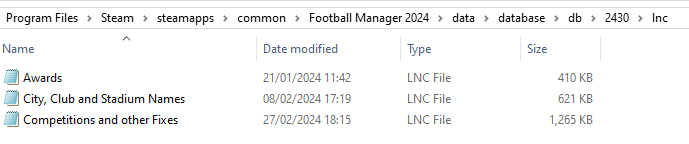
These are what the respective folder structures should look like in the 2430 folder:
dbc:

dbc/permanent:

edt/permanent:
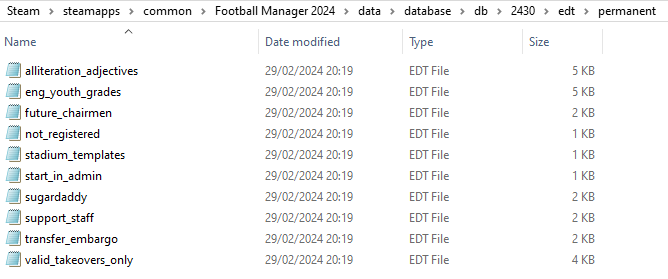
lnc:
STEP 4:
COPY the 9 files located in the EDITOR DATA FILES folder in the downloaded pack
STEP 5
PASTE to \Documents\Sports Interactive\Football Manager 2024\editor data
This is also the same folder to be used for Gamepass.
Equivalent folder for Mac
Users/YOUR Mac USERNAME/Library/Application Support/Sports Interactive
By default this folder is hidden, so to access you need to do as follows:
Open Finder
Click ‘Go’ from the menubar
Press and hold down the ‘Option’ (Alt) key
This will bring up the ‘Library’, click to enter then go to ‘Application Support’ -> ‘Sports Interactive’ -> ‘Football Manager 2024’
Equivalent folder for Steam Deck
devices / home / deck / .local / share / Steam / steamapps / compatdata / 1904540 / pfx / drive_c / users / steamuser / My Documents / Sports Interactive / Football Manager 2024 / editor data
Equivalent folder for Epic Games
/Users / [your user] / Library / Sports Interactive / Football Manager 2024 / editor data
This should be what your editor data folder looks like now. There may initially be a config.xml file in this folder and it can be safely overwritten; it is generated by FM every time the game starts.
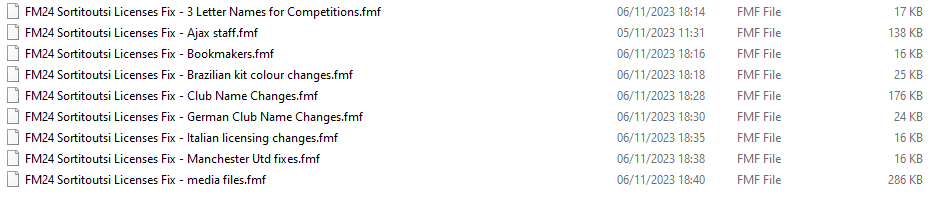
To make sure the files have been applied correctly, go to English Premier Division in your saved game, and it should be renamed to Premier League. If you are in the middle of a save-game when you install this download, German national teams will be populated in the next instance that players are called up, and not immediately.
Club names are only changed if you apply the editor data files before starting a new game. For a workaround if you've already started a new save-game, then please read the opening post of this thread.
The final version of this download for the default database can be downloaded from here.

- Date Created
- 19 Oct 2023 11:14:20
- Date Updated
- 23 May 2024 06:20:32
- Last Comment
- 27 Jun 2026 18:04:18
Comments
You'll need to Login to comment
mons
This is an FM24 file, so competition names are not for the 24/25 season. You can edit any competition name by opening the Competitions and other Fixes.lnc file with Notepad (or a similar program).
Thanks for that @majaman and all those who submitted changes recently 👍
coolestrocknrollstar
Will there be an updated file to download
PoorJack
Let's brainstorm together:
If you sit back and do nothing, you keep wondering.
If you re-apply the fix anyway, it gives you peace of mind… more or less. At least, that's all you can do at the moment. Does it hurt? Any risk?
So, it's just a matter of whether it's worth spending 3 minutes doing the fix again regardless, OR waiting for hours or days for anyone to tell anything (if any). That's all you may do now… until later, there may be a new fix (if any), but it's another story, isn't it?
How about at least spending a minute to open the folder and have a look? Are those files (e.g. fake.Inc, lic_dan_swe_fra.lnc, japanese names.lnc,… those you suppose to get rid of) back? Any new files or changes in the folder there? That should give you more information towards an answer/decision.
In the game, you don't hesitate to make tough decisions, such as splashing half of your budget to sign a player, or selling your best player.
Outside the game, it's time to decide… whether to open the folder and inspect.
Marck
can tell there is "fake" files
PoorJack
NO! Have you done real name fix before?
I said “fake.lnc”… not fake files. I used it as an example (sorry, this is the only file I remember) of those files that give you fake names or whatever.
Do you remember those files that you suppose to get rid of? For example:
fake.lnc
lic_dan_swe_fra.lnc
japanese names.lnc
licensing club name_fm24.lnc
1_japan_removed_clubs.dbc
forbidden names.dbc
…
For reference: https://www.fmscout.com/a-fm24-real-names-license-fix.html
By the way, what fake files do you have in the folder? Well, if they're back after the 24.4.2 update, then you know what to do.
Marck
haha calm down man, so wrong then in the wrong folder,
Muhammed Raşit Ergin
yamayı yaptım ama napoli duzelmiyor
mons
This is an English language forum. Post in English please.
Bielsa is a legend
Guys, which club had its license removed?
if insignificant I will carry on with existing file
mons
City, apparently, and it's just their licensed graphic assets which were removed, apparently.
Bielsa is a legend
Thanks, so no loss then as everybody has those anyway😂
Pulisic10
So after the update where City's graphics are removed, DO WE have to download this and re-paste again?
Asam
Japan doesn't have its original team, how to fix it?
PoorJack
Suppose you know what this Real Name Fix is for, so did you see any of these files (e.g. fake.lnc, lic_dan_swe_fra.lnc, japanese names.lnc,...) back in that database folder? Any changes there from the update? It takes you 3 minutes to check.
Alternatively, if you're still unsure or worried, then why not just download this file and re-apply the fix anyway?
This is the only thing you can do at the moment… until any new fix or instruction released. (You should see a new fix or new information (if any) by now, don't you think? It's been over a week after the update…)
It doesn't hurt to apply the fix again… which takes you 5 minutes to have some peace of mind.
PimpmyFM
Didnt even take me a minute - its simple.
Jão Andrade
Good evening, does anyone here know how to edit a database? I need help with something silly about competition rules, I want to make a change and I can't save it, I'm sure it's something silly but I can't solve it.
PoorJack
For reference:
https://www.youtube.com/watch?v=XhMtzbnuWOw
https://www.youtube.com/watch?v=6UoF4tzdR98
https://www.youtube.com/watch?v=aFK3OXx-IRo
We can't possibly understand what “I can't save it” means. An error message? No response?
Jão Andrade
https://sortitoutsi.net/content/67527/brazil-2025
I wanted to make some small updates to this mod so that it would be perfect for my gameplay here.
1 - Make the season start in 2025, I managed to do this with Start Date but it makes the player one year older and loses 1 year of contract.
2 - In addition to starting in 2023, the season already starts with simulated games and I wanted it to start from 0
3 - I'm searching the entire internet to solve the problem and then I get an error that it's not finding teams in a competition, but when I go there, there are teams, the error happens when I put advanced rules.
I tried to contact the author of the base as well, apparently he stopped editing.
this error:
Hauler24
So the teams reset and just wondering if I delete those files will everything be fine?
PoorJack
“the teams resets”, do you mean the fake names are back?
"those files", do you mean the likes of “fake.lnc, lic_dan_swe_fra.lnc, japanese names.lnc,…”?
Since you know this forum, suppose you've done the Real Name Fix before, and you also know what it does for you.
Anyway, stop “just wondering” and let's experiment:
If you're worried about losing “those files”, then simply move them to another folder temporary and see if “everything will be fine”.
If yes, then good. If nothing changes, then just restore the files and no damage is done. It takes you 5 minutes to find out the answer.
fmilln7
Could you please update the Ajax manager and Ass manager file in this version @mons? many thanks
mons
As stated previously, I have no intention to update this file again. You are free to edit it yourself for your own game 👍
West Kayne
Hello this is my first time using the forum and playing the game. I am using Epic Games to play FM24. I just downloaded this name fix file and I seem to be having a issue seeing the German, Japan and the Full Brazilian teams populate at the beginning of a save. I have some extra editor files such as the lower league Germany file, the Ecuadorian league file and a point deduction editor file. Now for some reason when I try to create a new save with all the editor files, Germany and Japan national teams don't populate from the start and also the Brazilian league only have the 3 letter names and not their full names.
But for some reason team names such as Man Utd, Milan, Real Soceidad get fixed. I have also tried removing the other editor files I downloaded and created and just having the ones selected according to the name fix file but still it doesn't seem to working. So far I have re-downloaded the game and added the editor and the dbc,edt, lnc files according to the instructions, verified files, reset my FM cache but nothing seems to work. Anyone know what the issue might be ?
mons
You will have not installed the lnc files correctly. Can I have screenshots of how the folders shown in steps 1 and 3 of the instructions of the main post look like in your system?
West Kayne
Hello , thank you for the reply. I have added the screenshots of my dbc, edt and lnc files. Along with these I also have editor files in the editor data.
mons
@West Kayne, all appears to be in order there. Are you trying to start a new career with the 2400 database or the 2430 one?
West Kayne
I am doing a career with the 2430 database. Do u think there might be some issue with the editor files I downloaded ? I am using a Ecuador league file, a lower league germany file and a potential ranges editor file I saw on the Zealand channel.
edgardavids8
Hi @mons
Maritzburg Utd changed name to Durban City FC in 2024
"CLUB_LONG_NAME_CHANGE" 5682979 "Durban City Football Club " ""
"CLUB_SHORT_NAME_CHANGE" 5682979 "Durban City FC " ""
cameosis
"COMP_LONG_NAME_CHANGE" 62055299 "Balkan Football Cup" ""
the active name was only used for the 1947 edition and is incorrect.
"COMP_LONG_NAME_CHANGE" 5781024 "UEFA Under-17 Championship Qualifiers" ""
the active name is in german for some reason.
mons
Thanks for these - the second one looks fine my end. What does your entry read then?