


Subscribe to this thread (by following these steps) so you get notifications whenever a new version is released.
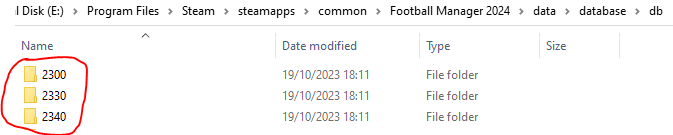
If you are playing an FM23 save in FM24, then this fix needs to be also installed in the below folders:
If you have any issues, first read the FAQ.
This file will need to be re-applied if/when official patches/updates are released to ensure full compatibility. This is due to the fact that some files which are removed when installing this file are automatically re-installed by Steam when official patches come out.
Some of these changes, ESPECIALLY THE CLUB NAMES, do NOT apply in existing save-games. There's a workaround for that in the first post.
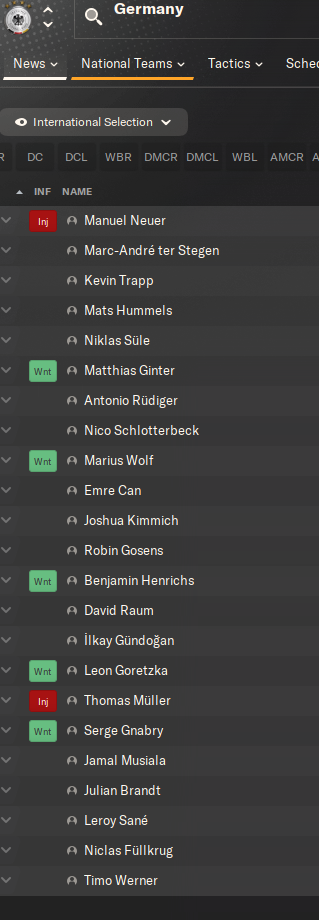
The sortitoutsi real names fix changes the instances of fake names in Football Manager 2024 to the proper, real life names for awards, cities, stadiums and competitions, in cases where the actual name is not licensed, such as Premier League displaying instead of Premier Division. It will also fix the fact that the German National team doesn't call up real players. These fixes are all fully save-game compatible.
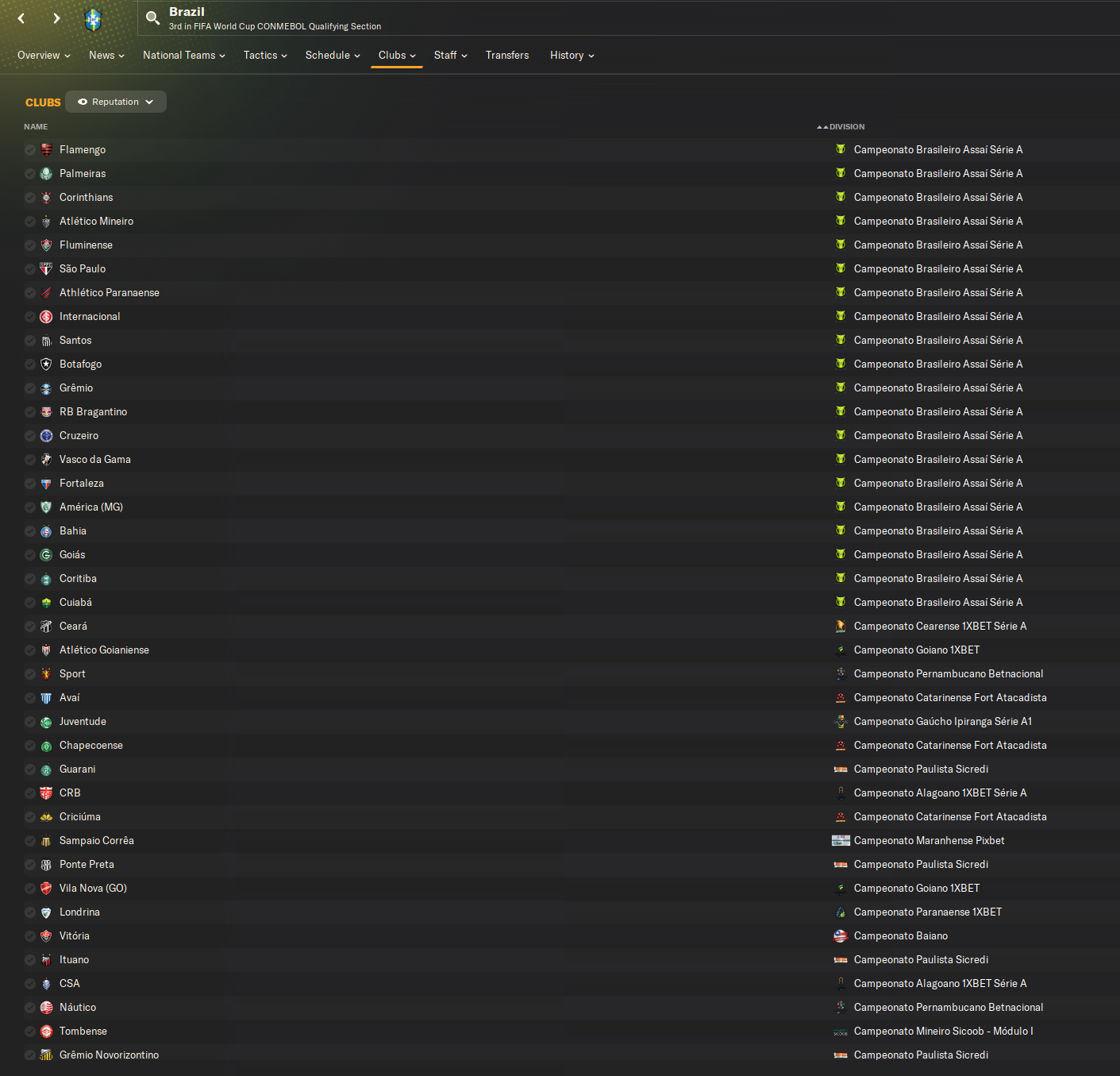
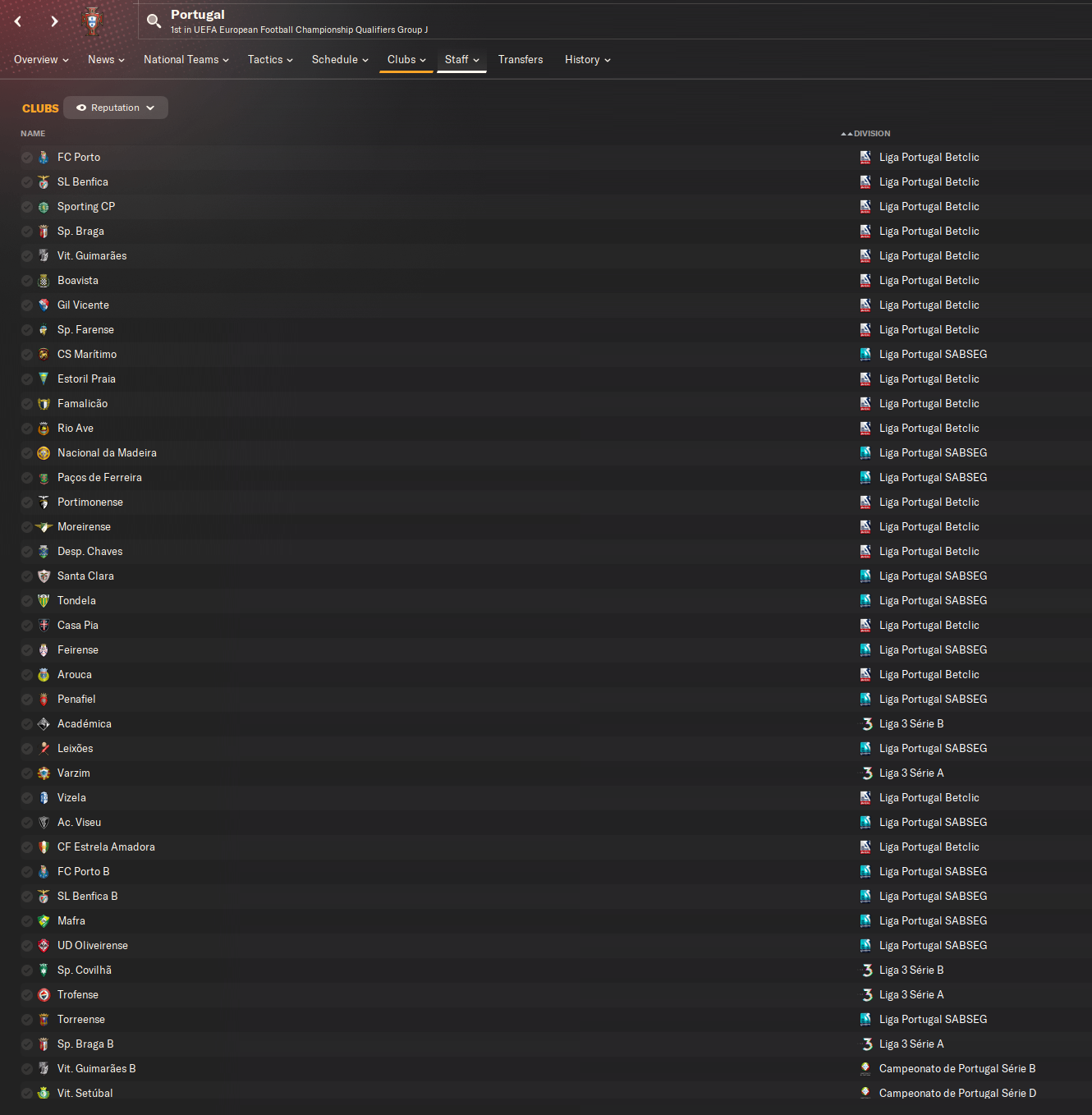
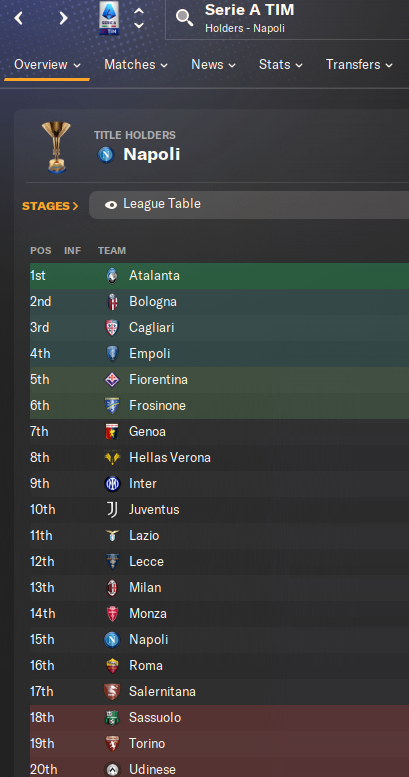
There is also a club name changes file, which changes the names of clubs in a way which ensures that any nicknames entered in the default database are retained. This file includes the proper names for Brazilian, German, Spanish, Portuguese, Italian (including Napoli) and French clubs, as well as Manchester Utd, to circumvent licensing restrictions. It also adds real-life media and journalists, encompassing most major footballing nations and continents. Brazilian clubs' text colours are also changed through an editor data file. Another editor data file creates the Ajax non-playing staff missing from the database due to licensing restrictions. Finally, it includes a small file which corrects the 3-Letter competition names to correspond with any changes made in the lnc files. For all the files in this paragraph to work, however, you will need to start a new game.
Follow the below instructions to install this version of this file
STEP 1.
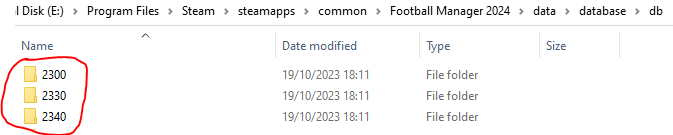
If you are playing an FM23 save in FM24, then this fix needs to be also installed in the folders in the below image IN ADDITION TO THOSE INDICATED BELOW the image:
OPEN
Program Files (x86)\Steam\SteamApps\common\Football Manager 2024\data\database\db\2400
DELETE only the dbc , edt and lnc folders
OPEN
Program Files (x86)\Steam\SteamApps\common\Football Manager 2024\data\database\db\2430
DELETE only the dbc , edt and lnc folders
Notes: \Program Files (x86)\ could be \Program Files\ depending on your set up.
Equivalent folders for PC players on Gamepass
PC players on Gamepass
I am led to understand that mods are enabled by default this year, so nothing needs to be done other than the below
OPEN
Xboxgames\Football Manager 2024\data\database\db\2400
DELETE only the dbc , edt and lnc folders
OPEN
Xboxgames\Football Manager 2024\data\database\db\2430
DELETE only the dbc , edt and lnc folders
Equivalent folders for PC players on Epic Games
Epic Games Installation
OPEN
Program Files (x86)\Epic Games\FootballManager2024\data\database\db\2400
DELETE only the dbc , edt and lnc folders
OPEN
Program Files (x86)\Epic Games\FootballManager2024\data\database\db\2430
DELETE only the dbc , edt and lnc folders
Notes: \Program Files (x86)\ could be \Program Files\ depending on your set up.
Equivalent folders for Mac users
Mac installation
OPEN
/ Users / username / Library / Application Support / Steam / steamapps / common / Football Manager 2024 / data / database / db / 2400
DELETE only the dbc , edt and lnc folders
OPEN
/ Users / username / Library / Application Support / Steam / steamapps / common / Football Manager 2024 / data / database / db / 2430
DELETE only the dbc , edt and lnc folders
The easiest way to get to these folders is by going to Finder > Go > Go to Folder and copy and paste these exact paths and you will be taken to the right places ~/Library/Application Support/Steam/steamapps/common/Football Manager 2024/data/database/db/2400/
Alternatively you can get to the Library folder by simply selecting Go from the top bar and holding "alt" key - The Library folder suddenly appears on the drop down menu
For Mac Lion users, the Library folder will be hidden. Use this link to find out how to show it.
For those struggling to find the Steam and Steam Apps folder etc using Mac with the new OS High Sierra, this link below shows how you can unhide your Library folder which will then let you find the other folders.
Equivalent folders for Mac players on Epic Games
Epic Games Installation
OPEN
MAC HD > Users> Shared > Epic Games > Football Manager 2024 > data > database > db > 2400
DELETE only the dbc , edt and lnc folders
OPEN
MAC HD > Users> Shared > Epic Games > Football Mnaager 2024 > data > database > db > 2430
DELETE only the dbc , edt and lnc folders
The easiest way to get to these folders is by going to Finder, scroll up to Locations and navigate to this section.
Equivalent folders for Xbox players on Gamepass
Xbox on Gamepass installation
OPEN
navigate to drive it was installed in (C: or D🙂
Xboxgames>Football manager 2024>content>data>database>db>2400
OPEN
navigate to drive it was installed in (C: or D🙂
Xboxgames>Football manager 2024>content>data>database>db>2430
DELETE only the dbc , edt and lnc folders
If you can't find where your Xboxgames folder is, you can find it by clicking on “More actions” button (three dots that appears when you move your mouse cursor over Football Manager 2024 on Xbox app), then “Manage” → “Files” tab → “Browse…” button.
Equivalent folders for FM TOUCH 24 on Mac users
FM TOUCH 24 Mac Os installation
OPEN
/ Applications / fm.app / Contents / Resources / data / database / db / 2400
DELETE only the dbc , edt and lnc folders
OPEN
/ Applications / fm.app / Contents / Resources / data / database / db / 2430
DELETE only the dbc , edt and lnc folders
Equivalent folders for Steam Deck users
Steam Deck installation
if game is store on external micro SD card
OPEN
devices / rootfs / run / media / mmcblk0p1 / steamapps / common / Football Manager 2024 / data / database / db / 2400
DELETE only the dbc , edt and lnc folders
OPEN
devices / rootfs / run / media / mmcblk0p1 / steamapps / common / Football Manager 2024 / data / database / db / 2430
DELETE only the dbc , edt and lnc folders
if game is stored on internal storage
OPEN
devices / home / deck / .local / share / Steam / steamapps / compatdata / 2252570 / pfx / drive_c / users / steamuser / My Documents / Sports Interactive / Football Manager 2024 / editor data
DELETE only the dbc , edt and lnc folders
OPEN
devices / home / deck / .local / share / Steam / steamapps / compatdata / 2252570 / pfx / drive_c / users / steamuser / My Documents / Sports Interactive / Football Manager 2024 / editor data
DELETE only the dbc , edt and lnc folders
STEP 2:
COPY the dbc, edt and lnc folders from the downloaded pack
STEP 3:
PASTE them into each of your respective folders mentioned in step 1.
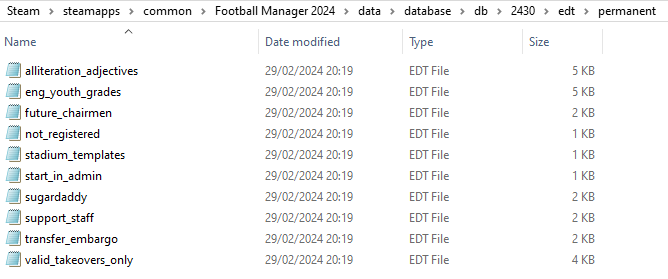
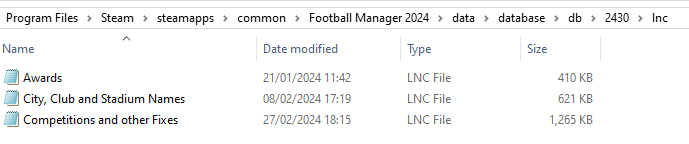
These are what the respective folder structures should look like in the 2430 folder:
dbc:

dbc/permanent:

edt/permanent:
lnc:
STEP 4:
COPY the 9 files located in the EDITOR DATA FILES folder in the downloaded pack
STEP 5
PASTE to \Documents\Sports Interactive\Football Manager 2024\editor data
This is also the same folder to be used for Gamepass.
Equivalent folder for Mac
Users/YOUR Mac USERNAME/Library/Application Support/Sports Interactive
By default this folder is hidden, so to access you need to do as follows:
Open Finder
Click ‘Go’ from the menubar
Press and hold down the ‘Option’ (Alt) key
This will bring up the ‘Library’, click to enter then go to ‘Application Support’ -> ‘Sports Interactive’ -> ‘Football Manager 2024’
Equivalent folder for Steam Deck
devices / home / deck / .local / share / Steam / steamapps / compatdata / 1904540 / pfx / drive_c / users / steamuser / My Documents / Sports Interactive / Football Manager 2024 / editor data
Equivalent folder for Epic Games
/Users / [your user] / Library / Sports Interactive / Football Manager 2024 / editor data
This should be what your editor data folder looks like now. There may initially be a config.xml file in this folder and it can be safely overwritten; it is generated by FM every time the game starts.
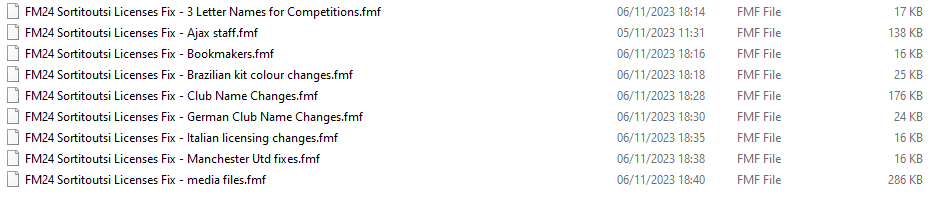
To make sure the files have been applied correctly, go to English Premier Division in your saved game, and it should be renamed to Premier League. If you are in the middle of a save-game when you install this download, German national teams will be populated in the next instance that players are called up, and not immediately.
Club names are only changed if you apply the editor data files before starting a new game. For a workaround if you've already started a new save-game, then please read the opening post of this thread.
The final version of this download for the default database can be downloaded from here.

- Date Created
- 19 Oct 2023 11:14:20
- Date Updated
- 23 May 2024 06:20:32
- Last Comment
- 27 Jun 2026 18:04:18
Comments
You'll need to Login to comment
mons
I haven't had the time yet, and I suspect it'll be something which we'll need to add to bit by bit after the game release.
I'm hoping we'll be able to mod these files this year too, but again we won't really know until the game is released…
Thanks @LudoxPendragon for all these. It seems you edited your last post after you posted an originally shorter list. Do keep in mind that if I've seen it and inserted the changes my end, I might not realize you've made additions. If I may, can I suggest either making one post with everything in it, or making another post with any additions in the future? Just to be sure I don't miss out on any 😉
LudoxPendragon
"CLUB_LONG_NAME_CHANGE" 1104 "U.S. Ancona" ""
"CLUB_LONG_NAME_CHANGE" 1104 "S.S.C. Ancona S.S.D." ""
"CLUB_LONG_NAME_CHANGE" 831346 "Foligno Calcio 1928 S.S.D." ""
"CLUB_LONG_NAME_CHANGE" 831346 "A.C. Foligno 1928 S.S.D." ""
LudoxPendragon
"CLUB_LONG_NAME_CHANGE" 831114 "A.C. Bra A.S.D." ""
"CLUB_LONG_NAME_CHANGE" 831114 "A.C. Bra" ""
"CLUB_LONG_NAME_CHANGE" 832136 "A.S.D. Barletta 1922" ""
"CLUB_LONG_NAME_CHANGE" 832136 "S.S.D. Barletta 1922" ""
"CLUB_LONG_NAME_CHANGE" 2198 "F.C. Forlì" ""
"CLUB_LONG_NAME_CHANGE" 2198 "Forlì F.C." ""
"CLUB_LONG_NAME_CHANGE" 43315321 "Real Giulianova S.S.D." ""
"CLUB_LONG_NAME_CHANGE" 43315321 "A.S.D. Giulianova Calcio 1924" ""
"CLUB_LONG_NAME_CHANGE" 43204868 "A.S.D. Calcio Flaminia""
"CLUB_LONG_NAME_CHANGE" 43204868 "A.S.D. Flaminia Civita Castellana""
"CLUB_LONG_NAME_CHANGE" 43018318 "Notaresco Calcio 1924" ""
"CLUB_LONG_NAME_CHANGE" 43018318 "S.S.D. Notaresco Calcio 1924" ""
"CLUB_LONG_NAME_CHANGE" 1136 "S.S. Ischia Isolaverde" ""
"CLUB_LONG_NAME_CHANGE" 1136 "S.S.D. Ischia Calcio" ""
"CLUB_LONG_NAME_CHANGE" 1401285 "F.C. Francavilla" ""
"CLUB_LONG_NAME_CHANGE" 1401285 "F.C. Francavilla S.S.D." ""
"CLUB_LONG_NAME_CHANGE" 43106377 "U.S. Corticella" ""
"CLUB_LONG_NAME_CHANGE" 43106377 "U.S. Corticella S.S.D." ""
"CLUB_LONG_NAME_CHANGE" 43076717 "S.C. Trestina" ""
"CLUB_LONG_NAME_CHANGE" 43076717 "S.C. Trestina A.S.D." ""
"CLUB_LONG_NAME_CHANGE" 2214 "F.C. Pavia 1911 S.S.D." ""
"CLUB_LONG_NAME_CHANGE" 2214 "Pavia Calcio 1911 S.S.D." ""
"CLUB_LONG_NAME_CHANGE" 2000015391 "Real Calepina F.C." ""
"CLUB_LONG_NAME_CHANGE" 2000015391 "Real Calepina F.C. S.S.D." ""
"CLUB_LONG_NAME_CHANGE" 831245 "F.C. Vigor Senigallia" ""
"CLUB_LONG_NAME_CHANGE" 831245 "F.C. Vigor Senigallia S.S.D." ""
"CLUB_LONG_NAME_CHANGE" 2000186474 "Roma City F.C." ""
"CLUB_LONG_NAME_CHANGE" 2000186474 "A.S.D. Roma City F.C." ""
"CLUB_LONG_NAME_CHANGE" 834899 "Orvietana Calcio" ""
"CLUB_LONG_NAME_CHANGE" 834899 "Orvietana Calcio S.S.D." ""
"CLUB_LONG_NAME_CHANGE" 829178 "A.S.D. Igea 1946" ""
"CLUB_SHORT_NAME_CHANGE" 829178 "Igea 1946" ""
"CLUB_LONG_NAME_CHANGE" 829178 "A.S.D. Nuova Igea Virtus" ""
"CLUB_SHORT_NAME_CHANGE" 829178 "Igea Virtus" ""
"CLUB_LONG_NAME_CHANGE" 43204806 "U.S. Atletico Uri" ""
"CLUB_LONG_NAME_CHANGE" 43204806 "U.S.D. Atletico Uri" ""
"CLUB_LONG_NAME_CHANGE" 43157220 "A.S.D. Unipomezia 1938" ""
"CLUB_LONG_NAME_CHANGE" 43006444 "A.S.D. Figline 1965" ""
"CLUB_LONG_NAME_CHANGE" 2000183707 "A.S.D. C.O.S. Sarrabus Ogliastra" ""
"CLUB_SHORT_NAME_CHANGE" 2000183707 "COS Sarrabus Ogliastra" ""
"CLUB_LONG_NAME_CHANGE" 7983706 "F.C. Fossombrone" ""
"CLUB_LONG_NAME_CHANGE" 7983706 "F.C. Fossombrone 1949 S.S.D." ""
"CLUB_LONG_NAME_CHANGE" 43066297 "F.C. Pompei S.S.D." ""
"CLUB_SHORT_NAME_CHANGE" 43066297 "Pompei" ""
"CLUB_LONG_NAME_CHANGE" 43157290 "A.S.D. Monastir 1983" ""
"CLUB_LONG_NAME_CHANGE" 43065076 "A.S.D. Ferrandina 17890" ""
"CLUB_LONG_NAME_CHANGE" 43157897 "Polisportiva Acerrana" ""
"CLUB_LONG_NAME_CHANGE" 43157897 "A.S.D. Polisportiva Real Acerrana 1926" ""
"CLUB_LONG_NAME_CHANGE" 7983757 "G.S.D. Enna Calcio" ""
"CLUB_LONG_NAME_CHANGE" 7983757 "Enna Calcio S.C.S.D." ""
"CLUB_LONG_NAME_CHANGE" 108988 "A.S.D. Città di L'Aquila" ""
"CLUB_LONG_NAME_CHANGE" 108988 "L'Aquila 1927 S.S.D." ""
LudoxPendragon
"CLUB_LONG_NAME_CHANGE" 831244 "A.S.D. Riccione 1929" ""
"CLUB_LONG_NAME_CHANGE" 831244 "A.S.D. Riccione 1926" ""
LudoxPendragon
"CLUB_LONG_NAME_CHANGE" 43066551 "San Donato Tavernelle S.S.D." ""
LudoxPendragon
"CLUB_LONG_NAME_CHANGE" 108981 "S.S.D. Sanremese Calcio" ""
"CLUB_LONG_NAME_CHANGE" 108981 "Sanremese Calcio S.S.D." ""
"CLUB_LONG_NAME_CHANGE" 700173 "Varese Calcio S.S.D." ""
"CLUB_LONG_NAME_CHANGE" 700173 "Varese F.C." ""
"CLUB_LONG_NAME_CHANGE" 834852 "S.S.D. Pro Favara 1984" ""
"CLUB_LONG_NAME_CHANGE" 834852 "A.S.D. Castrum Favara" ""
"CLUB_SHORT_NAME_CHANGE" 834852 "Castrum Favara" ""
LudoxPendragon
"CLUB_LONG_NAME_CHANGE" 43156720 "A.S.D. Villa d'Almè Valle Brembana Calcio" ""
"CLUB_LONG_NAME_CHANGE" 43156720 "Villa Valle S.S.D." ""
"CLUB_LONG_NAME_CHANGE" 1176 "Treviso F.B.C. 1993" ""
"CLUB_LONG_NAME_CHANGE" 1176 "Treviso F.B.C. 1993 S.S.D." ""
"CLUB_LONG_NAME_CHANGE" 43092864 "A.C. Vigasio A.S.D." ""
"CLUB_LONG_NAME_CHANGE" 43092864 "S.S.D. Vigasio" ""
"CLUB_LONG_NAME_CHANGE" 1413271 "A.C. Este" ""
"CLUB_LONG_NAME_CHANGE" 1413271 "A.C. Este S.S.D." ""
"CLUB_SHORT_NAME_CHANGE" 43106397 "Cjarlins Muzane" ""
"CLUB_LONG_NAME_CHANGE" 1171 "A.S.D. Ginnastica e Calcio Sora" ""
"CLUB_LONG_NAME_CHANGE" 1171 "A.S.D. Sora Calcio 1907" ""
"CLUB_LONG_NAME_CHANGE" 832148 "F.C.D. Termoli Calcio 1920" ""
"CLUB_LONG_NAME_CHANGE" 832148 "F.C.D. Calcio Termoli 1920" ""
"CLUB_LONG_NAME_CHANGE" 831352 "A.S. Ostiamare Lido Calcio" ""
"CLUB_LONG_NAME_CHANGE" 831352 "A.S. Ostiamare Lido Calcio S.S.D." ""
"CLUB_LONG_NAME_CHANGE" 43157239 "A.S.D. Trastevere Calcio" ""
"CLUB_LONG_NAME_CHANGE" 43157239 "Trastevere Calcio S.S.D." ""
"CLUB_LONG_NAME_CHANGE" 43106569 "U.S.D. Latte Dolce" ""
"CLUB_LONG_NAME_CHANGE" 43106569 "Latte Dolce Calcio A.S.D." ""
"CLUB_LONG_NAME_CHANGE" 43157287 "F.B.C. Gravina" ""
"CLUB_LONG_NAME_CHANGE" 43157287 "F.B.C. Gravina S.C.S.D." ""
"CLUB_LONG_NAME_CHANGE" 700034 "A.S.D. Napoli Club Afragolese" ""
"CLUB_LONG_NAME_CHANGE" 700034 "A.S.D. A.C. Afragolese" ""
"CLUB_LONG_NAME_CHANGE" 2204 "Gela Calcio" ""
"CLUB_LONG_NAME_CHANGE" 2204 "Gela Calcio S.S.D." ""
"CLUB_SHORT_NAME_CHANGE" 2204 "Gela" ""
"CLUB_LONG_NAME_CHANGE" 43058690 "A.S.D. Sambiase 1962" ""
"CLUB_LONG_NAME_CHANGE" 43058690 "A.S.D. Sambiase Calcio 2023" ""
"CLUB_LONG_NAME_CHANGE" 829195 "S.S. Milazzo" ""
"CLUB_LONG_NAME_CHANGE" 829195 "S.S. Milazzo S.S.D." ""
LudoxPendragon
"CLUB_LONG_NAME_CHANGE" 43076718 "A.S.D. Cannara" ""
"CLUB_LONG_NAME_CHANGE" 43076718 "A.S.D. Cannara Calcio" ""
Kevinho7
I'm sorry if this has been asked already somewhere, but is the real name fix releasing after Beta as well for fm26, or only after full release?
mons
Link to FM26 file is here. Subscribe, and you'll get an email notifying you when/if something happens 😉
Kevinho7
I'm so sorry. Thanks for the reply and will do!
mehidi mohamed
salut sa avais fonctionné mais temporairement …. j ai toujours Man UFC et parthenope …. j ai tout désinstallé et réinstallé comme il faut mais sa ne change rien !!! que faire ??? j ai copié les 3 fichier dbc edt et inc du téléchargement et je les ai mis a la place de ceux d origine . ensuite jai ouvert avec bloc note le fichier inc et jai modifié mais sa na change rien … je joue une partie sauvegardé
mons
Post in English.
phil225
Hi, can I use those files in FM16?
mons
No, because it's an FM24 file…
phil225
Yep sure, but for exemple, we can use FM17 files on FM13, what is the most recent FM files that I can use on FM16?
fmilln7
Hi Mons, Is it easy to update this file? Would you mind explaining to me if so. Many Thanks
mons
I'm sure Google has plenty of tutorials.
Jamie Clancy
The notepad workaround fix worked for me in regards to getting Spanish names and Italian names to work…but….I've now lost the Brazilian names - they've gone back to the 3 letters.
Just a question - can you have this fix AND the FM Scout fix installed together? Would that work?
mons
No idea if they work together, not my concern.
From time to time, SI update FM24. Make sure to re-apply the fix again, as some files will have been recreated which invalidate the bit of this fix dealing with the Brazilian name changes.
Jamie Clancy
Ok I'll do that. Cheers.
Lebohang Mokoena
"STADIUM_NAME_CHANGE" 1030 "JP Financial Estadio’" ""
Source in Spanish
mons
Is this just for FM24, or is it for FM26?
Lebohang Mokoena
FM 26, the new name starts right now until 2031
Edit: I noticed the title of the thread right now. Sorry, wrong thread 😅
Hassnus
I think I did everything like the instructions said but suddenly the game looks different. I already checked if I deleted the wrong folders and pasted yours into the wrong spot.
When I try to start a new game, I can not choose a single editor file. As if I havent downloaded anything
It happened to me once when I changed the location of my folders and changed the settings in Steam accordingly but it worked right before I did like it was said in the instruction.
Do you know a solution? Thanks in advance
mons
Can I see the editor data folder? I'd like to see its full path, too.
Hassnus
Sorry, I fixed it. I messed somehow my Sports Interactive folder up. Thanks nevertheless
TrueNorthRaptor
this has worked for me in the past but isn't applying in my save game anymore. I did the text replace, copied and pasted all the folders in the right place, etc and cannot figure it out. any possible work around would be greatly appreciated. they're all working for a new save, hoping to get the changes to apply to my current one though
Dylan toomey
The instructions for this are wrong. The data file in FM 26 now only contains a folder names game_simulation. Please update this is just lazy especially when people are paying subscriptions.
M.C
Are you sure this is the thread you intended to post this feedback in? I'm asking, because this thread is for the FM24-specific download. The download here is not FM26-compatible and the installation instructions, therefore, are only for FM24.
The FM26-specific equivalent, which can be found at https://sortitoutsi.net/content/74677/fm26-real-name-fix-placeholder-thread, has its own instructions and those instructions reference the correct folder paths for that version of the game. If you're playing FM26, you will want the download from the other thread and you'll want to follow the instructions in that associated thread.
As an aside, these files (both instances) are provided for free and so I don't think the comment regarding paid subscriptions is fair/relevant (unless I've misunderstood something).