
z
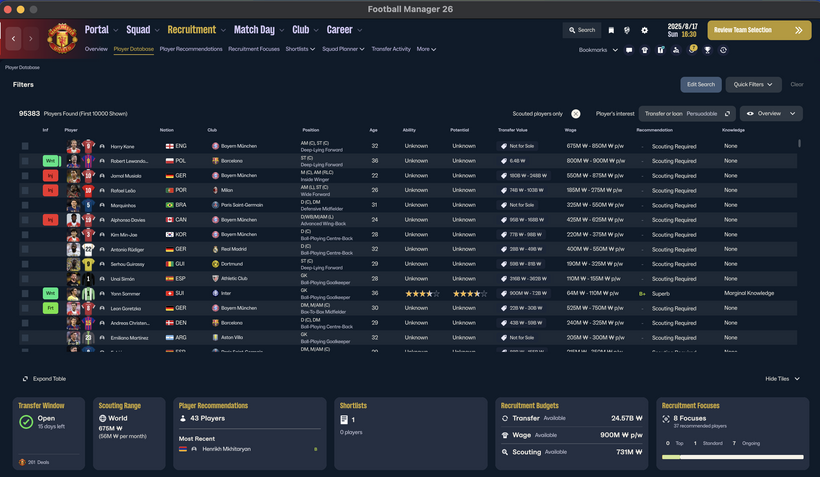
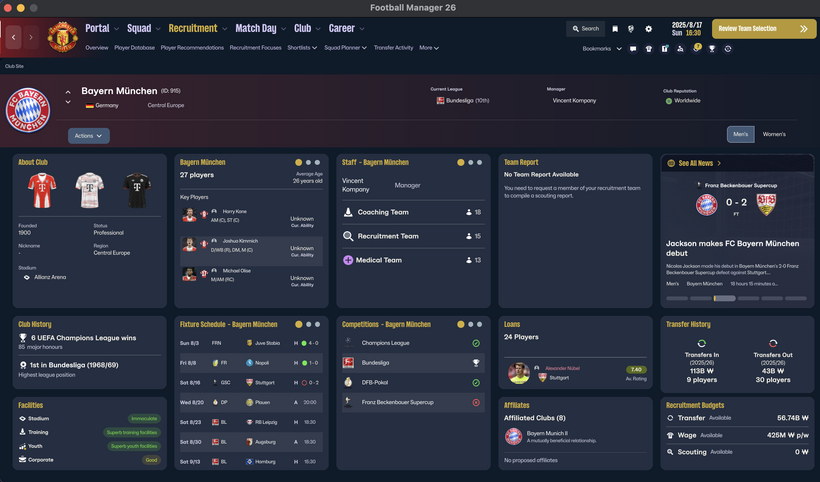
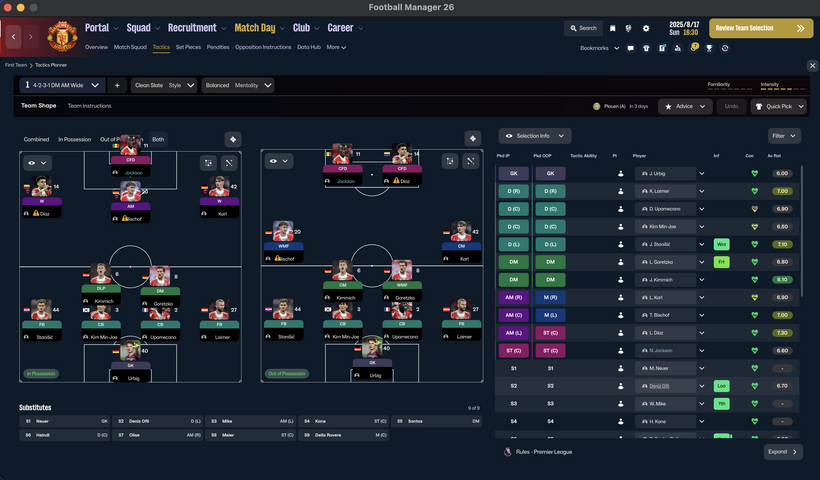
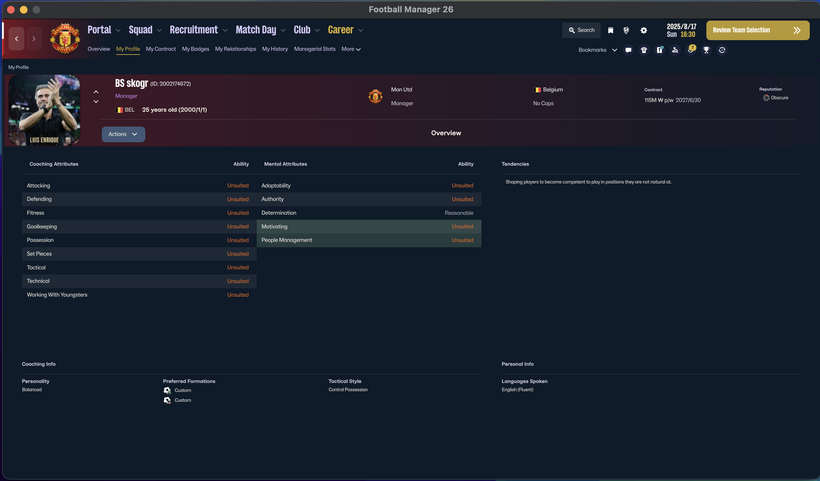
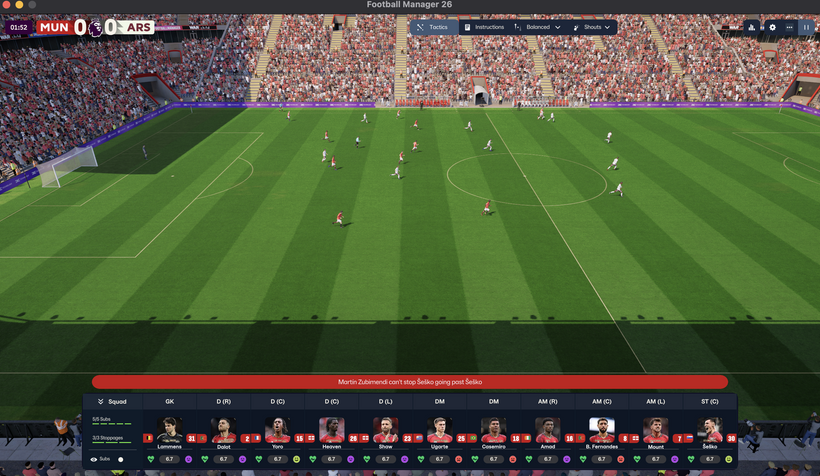
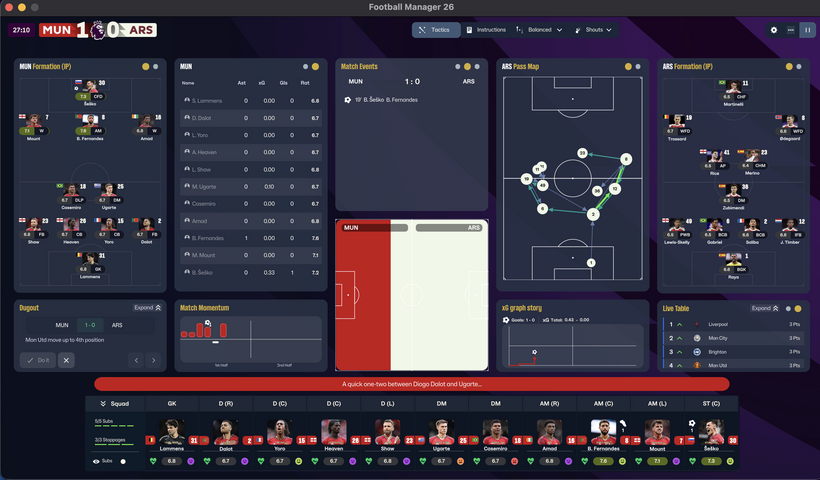
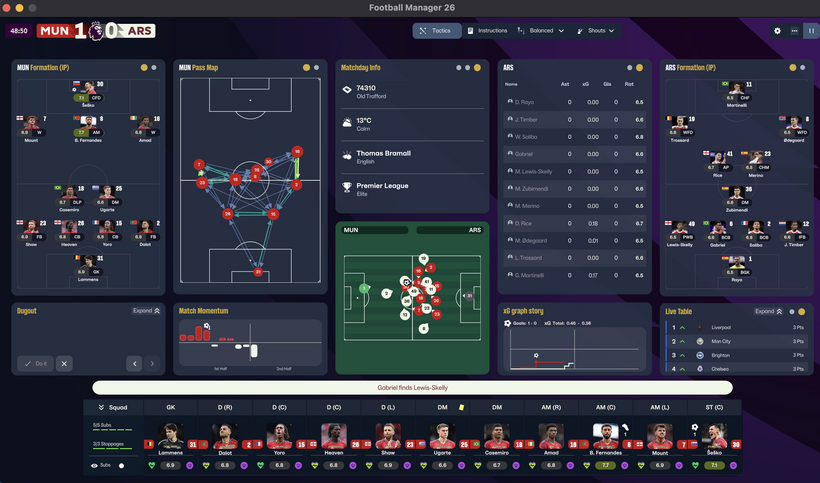
skogr skin free
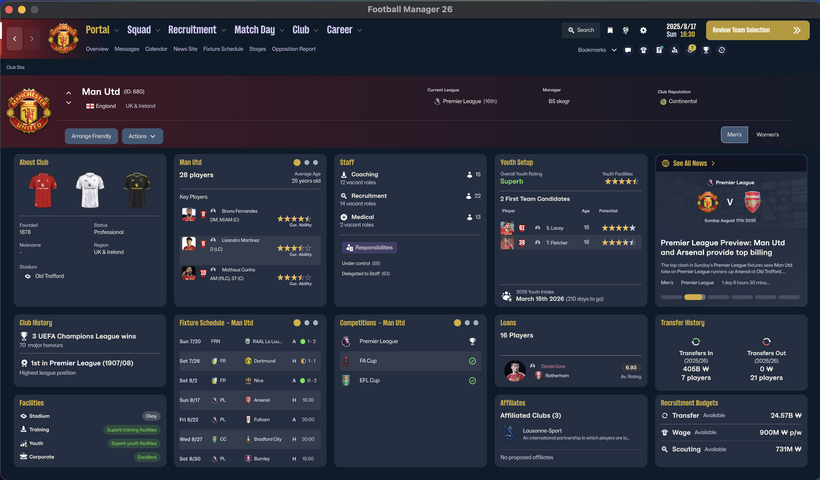
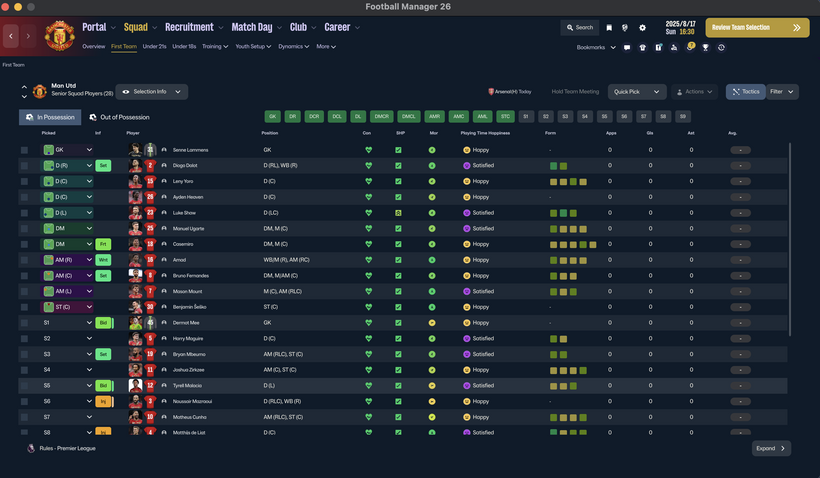
Key Differences from Vanilla Skin
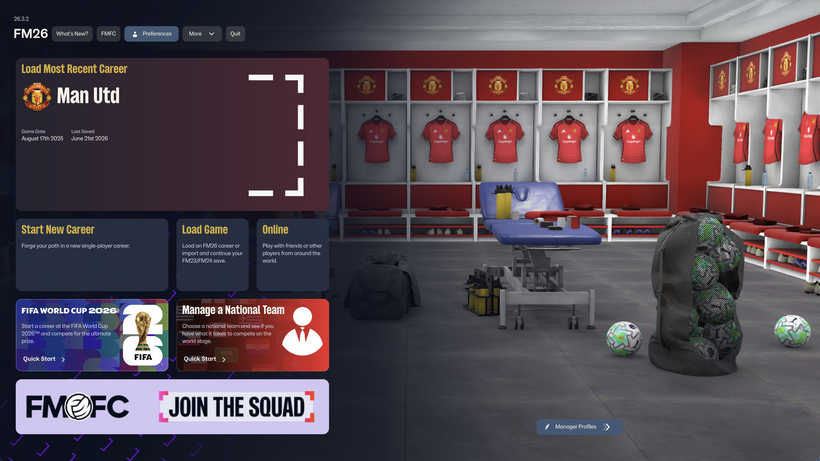
Manager Photo Replacement: Change your manager's profile picture without any extra software, just like player or staff facepacks.
Simply find your Manager ID and place the desired photo in your graphics folder using that ID.
(Tip: Search for "facepack installation guides" for detailed instructions.)
Opponent Tactics Preview: View the opposing team's tactics in advance.
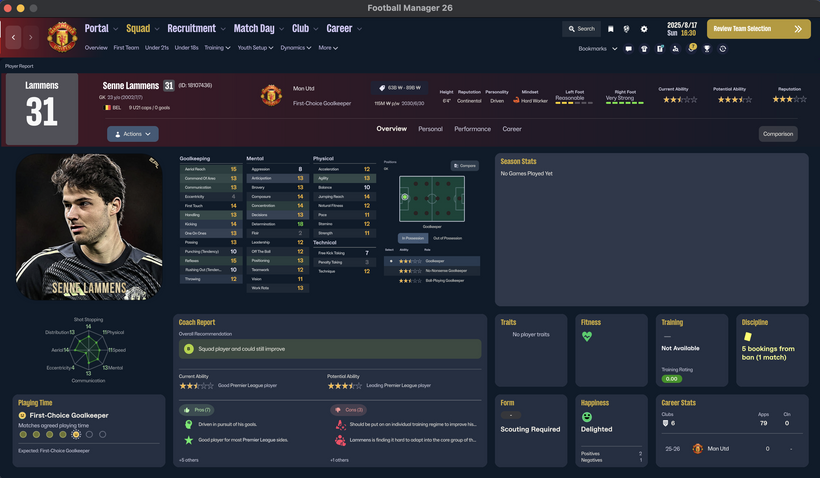
Enhanced Profile Photos: Larger, better-scaled images for both player and staff profiles.
Visual Improvements: Various UI/UX enhancements for better gameplay convenience.
[IMPORTANT] The "Numerical Attributes" feature (displaying player/staff attributes as numbers) is excluded from this free version.
Compatibility & Installation
Both Mac and Windows versions are provided. Please download the version compatible with your OS.
How to Install (Mac Version)
Download the Mac version.
Copy the 17 files located inside the free folder.
Paste them into the directory below and replace the existing files. [IMPORTANT: A backup of your original files is mandatory before replacing.]
/Users/(YourName)/Library/Application Support/Steam/steamapps/common/Football Manager 26/fm.app/Contents/Resources/Data/StreamingAssets/aa/StandaloneOSX/
How to Install (Windows Version)
Unzip the downloaded file and locate the free skin folder.
Copy only the files inside that folder (do not copy the folder itself).
Paste them into the following directory: [IMPORTANT: A backup of your original files is mandatory before replacing.]
\Football Manager 26\fm_Data\StreamingAssets\aa\StandaloneWindows64
For more information regarding our paid and membership skins, please check the link below: https://www.patreon.com/skogr/posts/skogr-skin-has-161889818
Credits
Comments
You'll need to Login to comment
sasmaz
TacticsPositionDetailed.uxml for IP and oop pitch - can be done in FMSB
It's TacticsPositionCombined.uxml has to be done in UABEAvalonia
both files can be found in ui-tactics_assets_all bundle
冯彬
Awesome work, bro! Massive respect to you! 🙌
I have just one request for the next update: could you please add a view for player strengths and weaknesses directly in the player info screen? This would be an absolute game-changer! Nobody wants to dig through second or even third-level menus just to find the coach's report every time they check out a player. Honestly, every FM player dreams of seeing all of a player's vital info on a single page!
Thanks a million! Huge respect once again—you're doing amazing work! 🔥✨
vincenzo.barlotti96
Does it work on a Mac? Does it work after the global game update or does it crash the game?
vincenzo.barlotti96
Does it work on a Mac? Does it work after the global game update or does it crash the game? I'm hoping for a response. Thanks man. This skin has potential. I hope it works.
ForeverNedved
Hi, a slightly off-topic question: I can see the national flags on the player screen. Could you tell me why I see the national federation logos? I installed both the logo pack and the flag pack, but it seems the game only reads the logo pack.
skogr
If it weren't for the mouse-freezing bug, the player profile update would have been included already.
I still have a few more free updates planned/on the way.
skogr
This information is already covered in the main post. Since I do not own a macOS device, macOS is not supported. Also, looking at the release date of the skin update, it was uploaded after the game update, so there shouldn't be any compatibility issues.
skogr
This is caused by the national association logos inside the 'nations' folder of your logo pack. If you delete the 'nations' folder from your logo pack, it will display the national flags instead.
ForeverNedved
Thanks for the reply.
I suspected as much, but I was afraid that deleting the "nations" folder would cause trouble.
Arvid01
Thanks for this awesome skin! - The dark version is also easy on the eyes. - Any suggestions for improvement? Hmm, I can't think of any right now.
Umberto Ramuby
Hi Skogr, could you tell me which files indicate the fatigue percentage? I'd like to integrate that feature into another skin I use.
Thanks
batigoalzyh
good,i like it ! ^_^
SweetRascal
Quanto tempo occorre ancora per la skin?
SweetRascal
X scaricare la versione v.0.1.1(aspettando la versione 0.1.2)???
skogr
"v0.1.2 is scheduled to be updated later today. It may take a bit more time as I am currently working on additional updates related to replacing manager photos."
"La versione v0.1.2 verrà aggiornata oggi. Potrebbe volerci più tempo poiché sto lavorando a un aggiornamento aggiuntivo relativo alla sostituzione della foto dell'allenatore."
SweetRascal
Non mi visualizza la foto allenatore (personale). Come risolvo?
LAVORONE CMQ, COMPLIMENTI!!!!
skogr
"The process is identical to regular facepack installation."
"Please learn how to install standard facepacks first. Searching for a guide online is recommended."
"Il processo è identico all'installazione dei facepack normali."
"Impara prima come installare i facepack standard. Ti consiglio di cercare una guida online."
Leonardo Valentim
Hey is there any conflict to use with genie scout? Since a get your skin genie doesn't recognise my game data…
skogr
"There is a possibility of that."
Leonardo Valentim
Brother, I already reinstall the game, the genie scout and the message "your game data is not found" persist. Can you help me?
skogr
"You must choose between using Genie Scout or this skin. If you wish to use Genie Scout, you cannot use the skin, and vice versa."
"Because the skin is different from the default vanilla files, Genie Scout will not recognize it."
Kamil Dzikowski
Nie mogę wgrać zdjęcia menedżera pomoże ktoś
GangBarbieri
Continuo ancora non poterlo nemmeno scaricare dal mio windows, ci sono aggiornamenti ? verrà mai rilasciata questa mod ?
skogr
"C'è un link al mio Patreon in fondo al post. Puoi scaricarlo dopo esserti iscritto come membro gratuito."
"There is a link to my Patreon at the bottom of the post. You can download it after signing up as a free member."
Leonardo Valentim
So what I'm saying is that I already not usng the skin… I deleted your files and install the game again… and problem persist…. amy ideas? Thanks!!
skogr
"I suggest reinstalling the game. Since I don't use Genie Scout, I don't know the exact details."
ANTH1973
This is brilliant I've been waiting for numerical fitness and staff attributes
Xuanye
Hi! thank u so much for ur amazing work on this skin. I recently updated to v0.1.2, but I personally prefer the original 3D manager model over the new 2D photo feature. Could u please let me know if there is a way, or perhaps an add-on I can use, to bring the 3D manager model back to the start screen? thx again for ur time and effort!
Arvid01
In my opinion, your version 1.2 is now perfect. I love the dark skin. - It's great that you removed the often “distorted” manager image from the home screen. Unfortunately, the options for creating a good-looking character are still very limited.
skogr
"In v0.1.3, the 3D manager model will be restored in the Default version, but it will remain removed in the Dark version."