FM05-24 Standard Kits Megapacks
Please take not that the files labeled 05-24 are not suitable for FM26 and beyond!
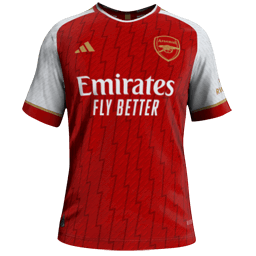
Our wfm18 x sortitoutsi.net Football Manager Standard Kits Megapack matches the same design as the default 2D kits in Football Manager but includes all the real kit designs that Football Manager doesn't come with by default!
- 1,798
- 2024.04 - Released on 06 Jan 2024
This file is old and may not be compatible with FM26 and later.
Here are the 2D kits for the now-removed Inter and Milan sides. Here are the lines to add to your config files depending on the current configuration you have:
<record from="inter away" to="graphics/pictures/team/1135/kits/away"/>
<record from="inter home" to="graphics/pictures/team/1135/kits/home"/>
<record from="inter third" to="graphics/pictures/team/1135/kits/third"/>
<record from="milan away" to="graphics/pictures/team/1099/kits/away"/>
<record from="milan home" to="graphics/pictures/team/1099/kits/home"/>
<record from="milan third" to="graphics/pictures/team/1099/kits/third"/>
These are simply conversions from the 3D graphics provided in the thread here: https://sortitoutsi.net/content/63133/3d-kits-request-thread?page=16#comment_804611
I used the ones provided by Humberto21 - I am unsure if he made them himself or if they are rips from the game prior to the December 4th update, but in either case the real work was done before me.
Download
- Date Created
- 09 Dec 2024 10:41:38
- Date Updated
- 09 Dec 2024 10:41:39
- Last Comment
- 08 Apr 2026 04:52:40
Comments
You'll need to Login to comment
Dylan Allahar
Thanks mate
Miguel Angel Martin Tirado
Hi, I'm having this problem in Football Manager 26. I installed the real name fix, but Inter's kit is still showing up as generic. I've tried everything and the original kit still isn't showing up. I have the FM Slovakia folder with all the Italian kits, but nothing. I checked the config line to see Inter's ID and it's correct. How can I fix this?
griffincollins1117
Yeah this usually happens when the config isn’t being read properly or there’s a conflict somewhere.
First thing I’d check is if you’ve cleared cache and reloaded skin after adding the kits. Sounds basic but FM is weird with this sometimes, especially after using the real name fix. horror games
Also make sure you don’t have duplicate kit folders/configs for Inter. If you’ve got the FM Slovakia pack + this one, there’s a chance another config is overriding the ID 1135. I had something similar before and it turned out another pack was taking priority.
Another thing: double check the folder structure. It should be something like
graphics/pictures/team/1135/kits/
and the PNG files need to match exactly what’s written in the config (home/away/third). FM26 seems a bit more picky with configs compared to older versions tbh, I had to redo a couple of mine too.